Hotel Lobby Tools Compared: Three Workflows
Choose between Higgsfield, CapCut and Glinno by the inputs, controls and editing work your project needs.
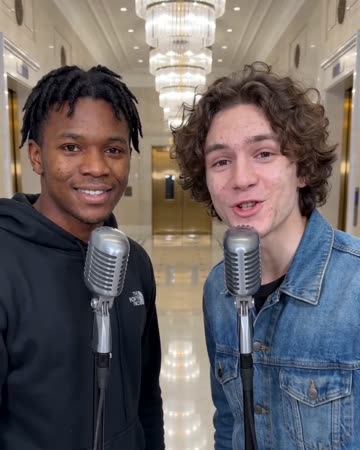
Choose the result before the tool
Following a particular performance, editing finished footage and animating a shared photo are different tasks. They may look similar in a feed but require different inputs. This comparison uses official pages and documentation checked October 28, 2026. It is not a ranking of quality, value or conversion rates.
| Route | Prepare | Main control |
|---|---|---|
| Higgsfield Genjutsu | Motion video; character images | Reference performance and replacement |
| CapCut template | Required photos or clips | Sequence, crops and presentation |
| Glinno | One shared photo | Framing and 5/10-second duration |
A particular movement: inspect Genjutsu
Genjutsu combines a motion reference with character images, and Higgsfield documents a two-character workflow. Product page, two-character instructions
This route requires preparation of a performance reference. A short self-recorded shot with stable left/right positions is easier to diagnose than an edit containing turns, occlusions and cuts. Follow the Higgsfield walkthrough for the sequence.
Finished footage: inspect CapCut
Several templates can share the Hotel Lobby name. The Itssyaa example checked here requires two clips in 9:16. Those are editing slots, not evidence of automatic character generation. Specific template
If you already have an ordinary photo and a stage clip, use the template to organize the reveal. The CapCut guide covers crops, captions and competing audio tracks.
One photo, one short clip: use Glinno
Glinno accepts one photo, with original, 9:16, 16:9 or 1:1 framing and a five- or ten-second duration. The preset supplies the stage and performance direction, and the request includes sound.
The effect form has no lyric, topic, song or motion-reference upload. Add exact names through captions or a separate voice recording. Choose a reference-driven route when a specific movement is essential. Glinno walkthrough
Four questions to finish the decision
- Only have a photo? Start with a photo workflow unless reference preparation serves a clear purpose.
- Need a name or story detail? Use captions for exact words, or prepare your own recording before assembling the visuals.
- Need a specific performance? Prepare a clear reference video.
- Already have the content? Focus on sequence, volume and the ending in an editor.
Confirm charges, available settings and export conditions before submitting. Your own photo and brief are the useful test; a long feature list or attractive examples cannot replace that check.
Choose a related video effect
Hotel Lobby AI
Native-audio performance · photo to video
Keep exploring
Choose an AI Music Video Tool: Song to Final Edit
Compare the roles of Suno, Runway, CapCut and Glinno, then plan a 30-second music video around the inputs you already have.
Creative guides
Choose an AI Rap Tool: Song First or Video First?
Compare Suno’s song workflow with Glinno’s photo performance, then prepare your own brief and lyrics.
Creative guides4 Rap Duos: Learn the Exchange Through Their Tracks
Start with OutKast, Mobb Deep, UGK and Run The Jewels, using specific tracks to listen for leads, responses and handoffs.
Creative guides