Studio Booth AI: Keep the Performer Clear Around the Microphone
A dark booth, soft rim light and a microphone provide an intimate performance setting. Equipment stays secondary so facial expression, rather than a wall of studio gear, carries the shot. The preset requests a short original studio rap and backing music.
Use the shot for a recording-session mood insert or a performer introduction. Pair it with real recording audio externally without implying the generated booth captured that take.
Inside this effect
Close to the mic, close to the expression
A dark recording booth and soft rim light frame natural microphone gestures. Equipment stays softly out of focus so the mouth, hands and expression carry the intimate performance.
What makes the composition readable
The main risk is occlusion around the mouth and hands. Start with those areas visible and inspect them as the person gestures near the microphone.
Sound in a new creation
A brief original studio rap and backing beat are included. The recording booth and voices are generated, not a live session capture.
Choose the output for your edit
New drafts start at 12 seconds, 720p and vertical 9:16. Advanced shows the models and compatible lengths, resolutions and formats. Check the total credits before generating; the options follow the selected model.
From source photo to finished clip
Start with a solo or shared photo, or choose two separate sources when the idea includes a pair. Confirm the crop and current settings before generating.
Choose an expressive portrait
Favor a visible mouth and relaxed shoulders.
Inspect microphone contact
Watch mouth, fingers and microphone edges during gestures.
Connect to the recording story
Listen to the original booth vocal and beat, check mouth alignment and microphone occlusion, then add factual process context.
Ways to use the result
A recording-session mood
Use the booth as a short mood insert beside real notes, instruments or genuine session material.
An intimate artist intro
Keep titles brief and away from the mouth so viewers can read the face before seeing the artist’s name.
Prepare the source for this movement
- Use a front-facing waist-up portrait.
- Keep the mouth clear of hands and accessories.
- Retain visible hands without dense equipment overlap.
The booth, microphone, vocals and backing are model-generated rather than a live recording. Equipment detail, hand occlusion and mouth alignment may vary; replay to inspect.
Frequently asked questions
Will it record my voice?
It does not access a microphone. The model generates an original rap excerpt and backing, not a clone of the photographed person’s real voice.
Can I control the microphone model?
No equipment selector is provided. The microphone is scene detail rather than an accurate product rendering.
Why use a simple source background?
It leaves clearer subject edges for the dark booth and rim-light interpretation.
How does this differ from Music Video Generator?
This page concentrates on the intimate booth and microphone relationship; the music-video page plans a shot's role in a larger edit.
Why inspect the hands near the mouth?
Microphones and hands can overlap the lower face during motion. A clear source and a short review help identify those frames.
Where is the cost shown, and what if generation fails?
The generation button shows the total for your selected model and output settings. Credits are deducted when the task is created; credits for a task confirmed failed are returned. Review the displayed total rather than assuming every model costs the same.
Explore another direction
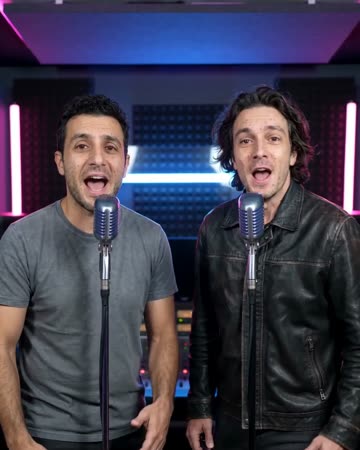
AI Rapper
Native-audio performance · photo to video
A softly lit night street frames the source performer at a microphone. Natural gestures and a gentle camera approach establish presence, keeping the original face central rather than borrowing a celebrity identity.
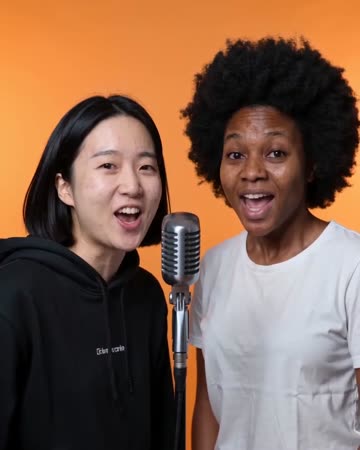
AI Rap Generator
Native-audio performance · photo to video
Separate microphones sit in a softly lit street setting. One person leads a concise phrase; a second source, when present, smiles and responds before taking a turn.
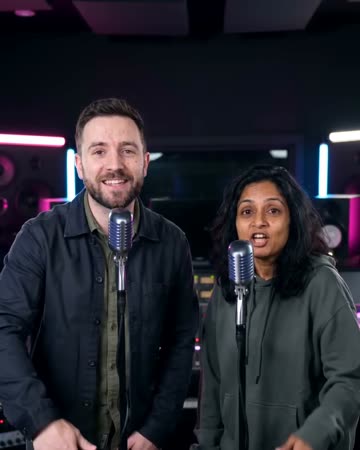
AI Music Video
Native-audio performance · photo to video
Warm marble, receding chandeliers and a gradual approach frame a brief vocal performance. A solo source keeps one singer; two people exchange phrases and glances at a shared microphone.
Studio Booth AI
Favor a visible mouth and relaxed shoulders.
Create this effect