Slow Dance AI: Keep the Sway Gentle and the Hands Readable
A slow dance can be built from a gentle sway rather than elaborate turns. This direction keeps two people in a steady medium shot so their shared posture remains readable. The preset requests original slow-dance music and subtle footsteps.
Use it for a romantic interlude or an anniversary montage. Choose music with space for the slow motion rather than forcing every gesture onto a fast beat.
Inside this effect
The sway and the small turn
Two people take a comfortable dance hold, sway together and complete a gentle turn beneath warm lights. A slow camera arc keeps attention on the faces before a relaxed embrace.
What makes the composition readable
Hand contact and arm ownership matter more than a busy dance floor. A clean source with modest separation helps distinguish the two bodies as they move closer.
Sound in a new creation
An original slow-dance instrumental and light footfalls accompany the movement, not a selected ballroom recording.
Choose the output for your edit
New drafts start at 12 seconds, 720p and vertical 9:16. Advanced shows the models and compatible lengths, resolutions and formats. Check the total credits before generating; the options follow the selected model.
From source photo to finished clip
Add one clear portrait per person or use a shared photo. In separate-photo mode, check the prepared two-person composition before submitting.
Choose the pair's posture
Start with a relaxed duo image rather than a complicated dance pose.
Check the sway and contact
Follow the joined hands and inspect faces during the lean.
Let the music breathe
Listen to the original slow-dance music and light footfalls, then trim after a calm, stable movement.
Ways to use the result
An anniversary interlude
Place the turn between still memories and keep captions away from the joined hands.
A fictional wedding-style moment
Use the gentle hold as a mood insert, with real event details supplied only through your own footage.
Prepare the source for this movement
- Show both shoulders and arms.
- Avoid already tangled hands.
- Keep face sizes reasonably balanced.
The preset generates an original slow-dance instrumental and light footfalls, not dance instruction or reference choreography. Turns and overlapping bodies can distort arms and hands.
Frequently asked questions
Can it teach a specific dance routine?
The page creates a short imagined movement, without a choreography-upload or step-training control.
Does the photo need to show a ballroom?
No. A clear duo pose is more important than an elaborate starting location.
Why avoid a tight embrace in the source?
Heavy overlap hides where arms begin and end, making the moving hold harder to infer.
Will it automatically slow my music down?
The preset generates original slow-dance music and does not accept an external music file. Rework the downloaded audio if you need a specific song or exact beat timing.
Should the feet be visible?
Visible lower bodies help judge footing, but faces and hand contact must also remain clear in the selected frame.
Where is the cost shown, and what if generation fails?
The generation button shows the total for your selected model and output settings. Credits are deducted when the task is created; credits for a task confirmed failed are returned. Review the displayed total rather than assuming every model costs the same.
Explore another direction
AI Family Video
family keepsakes
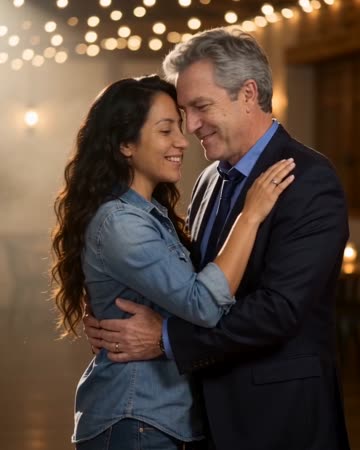
Under string lights, the source pair take a comfortable dance hold, sway, make a small shared turn and face the camera in a close pose. This page focuses on that two-person moment.

Anniversary Song Video
anniversary keepsakes
At a table under string lights, the pair sing a brief greeting, exchange an affectionate glance and smile toward the camera. Microphones stay below the faces so the expressions remain central.
AI Hug Generator
reunion edits
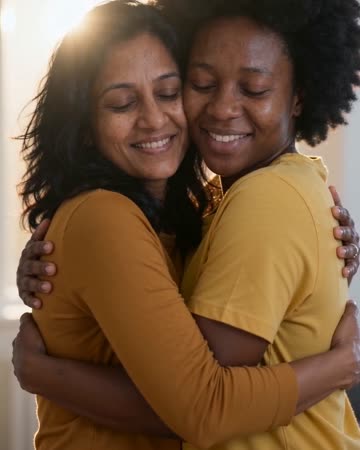
The pair move closer and bring their arms together while the camera stays steady. Leave shoulder space in the starting composition so the contact can develop visibly rather than beginning with tangled limbs.
Slow Dance AI
Start with a relaxed duo image rather than a complicated dance pose.
Create this effect