AI Family Video: Connect Album Photos With Small Interactions
Make a gentle two-person dance beneath warm string lights. A shared turn and a close final pose give family photographs a quiet connecting moment.
Connect a parent-child photo with another generation's image, or use a quiet pair shot between holiday stills. Put factual names and relationships in checked captions.
Inside this effect
A small family dance
Under string lights, the source pair take a comfortable dance hold, sway, make a small shared turn and face the camera in a close pose. This page focuses on that two-person moment.
What makes the composition readable
A large group often contains tiny overlapping faces. Choosing one relationship per shot can make the people easier to recognize and give the album sequence a clearer emotional thread.
Sound in a new creation
Warm family music and natural scene sounds accompany the dance. The sound does not infer anyone’s relationship or family history.
Choose the output for your edit
New drafts start at 12 seconds, 720p and vertical 9:16. Advanced shows the models and compatible lengths, resolutions and formats. Check the total credits before generating; the options follow the selected model.
From source photo to finished clip
Add one clear portrait per person or use a shared photo. In separate-photo mode, check the prepared two-person composition before submitting.
Choose the relationship
Focus on one pair rather than forcing the whole family into the crop.
Check the quiet gesture
Review the dance hold, shared turn and close final pose, checking both faces against the source.
Arrange the family sequence
Combine the short shot with stills that explain who the people are.
Ways to use the result
A parent-and-child album
Choose one clear pair and place the gentle dance between real photographs from different years.
Across generations
Make separate pair-focused clips for different generations and join them in your own edit.
Prepare the source for this movement
- Add a clear portrait of each person, or use a photo together with both faces visible.
- Avoid many small faces behind them.
- Keep shoulders and any hand contact visible.
The result cannot infer reliable family relationships from appearance. Likeness may weaken with numerous small faces, and gestures remain imagined.
Frequently asked questions
Can it animate a whole large family at once?
The direction is organized around a pair. For a large family, create several clear pair shots and assemble them afterwards.
Will it know who the parent is?
No. Supply accurate relationship information yourself in captions or narration.
Can the animation restore a lost family video?
It creates new movement from a still rather than recovering a previous recording.
How do I avoid an overcrowded family montage?
Give each short shot one relationship and alternate movement with readable still photographs.
Can I choose a hug or song on this same page?
The current preset is the string-light dance. Hug and song directions have their own effect pages.
Where is the cost shown, and what if generation fails?
The generation button shows the total for your selected model and output settings. Credits are deducted when the task is created; credits for a task confirmed failed are returned. Review the displayed total rather than assuming every model costs the same.
Explore another direction
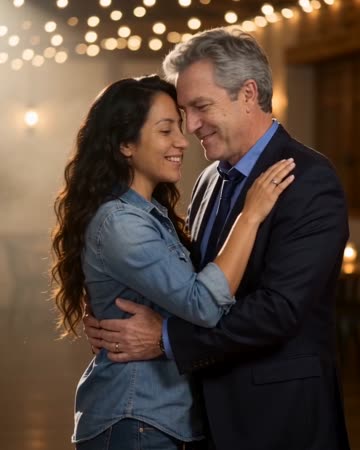
Slow Dance AI
anniversary
Two people take a comfortable dance hold, sway together and complete a gentle turn beneath warm lights. A slow camera arc keeps attention on the faces before a relaxed embrace.
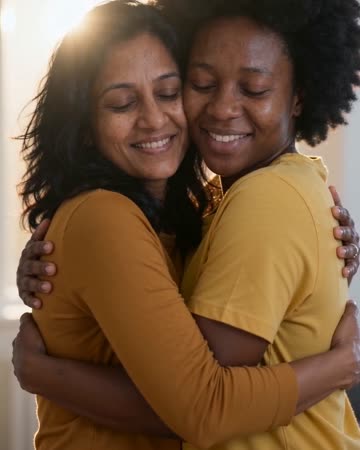
AI Hug Generator
reunion edits
The pair move closer and bring their arms together while the camera stays steady. Leave shoulder space in the starting composition so the contact can develop visibly rather than beginning with tangled limbs.

Christmas Song Video
Christmas greetings
Indoor warmth, restrained Christmas-tree lights, smiles and a small wave build the greeting. The movement stays gentle so the people remain more readable than the decorations.
AI Family Video
Focus on one pair rather than forcing the whole family into the crop.
Create this effect