
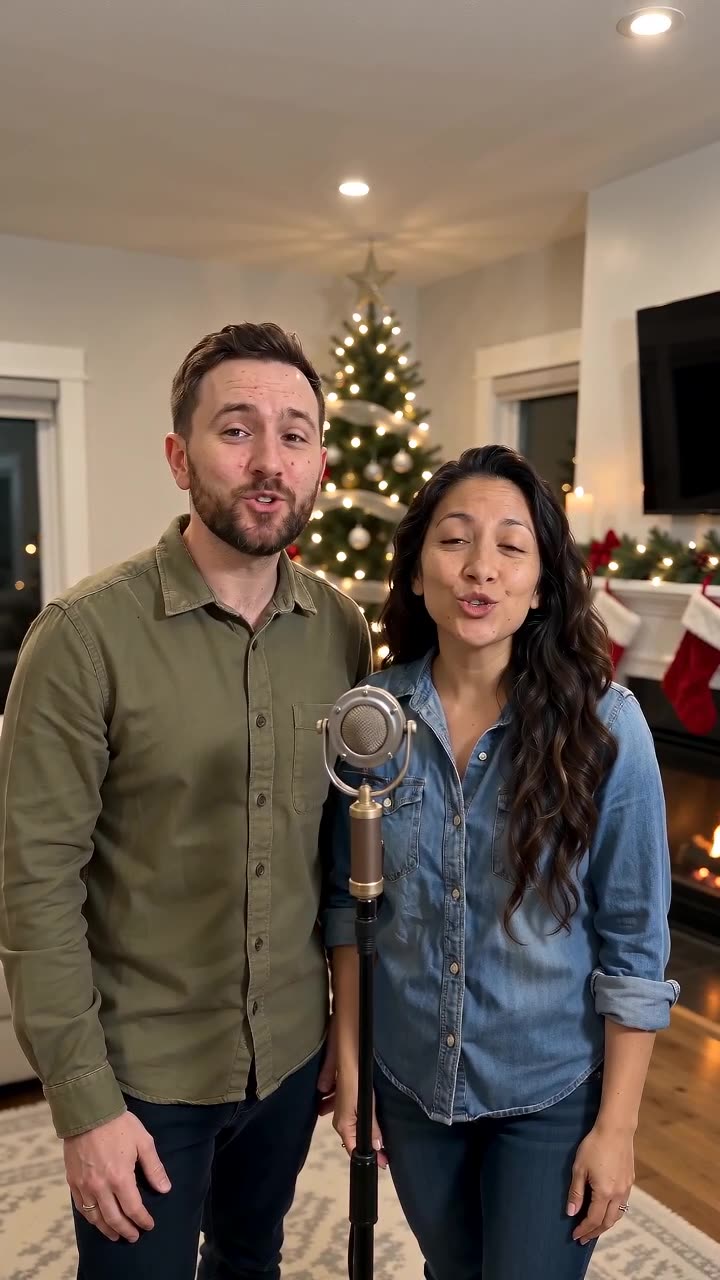
Christmas Song Visuals: A Quiet Greeting Under Tree Lights
A Christmas greeting does not need constant visual spectacle. Warm room light, restrained tree lights and a small wave can give a family portrait a welcoming seasonal atmosphere. The preset requests a short original festive vocal performance and bell-inspired music.
Use the result as a holiday message opener or the end card of a year-in-review montage. Add names and the year as separate, checked text.
Inside this effect
A warm seasonal hello
Indoor warmth, restrained Christmas-tree lights, smiles and a small wave build the greeting. The movement stays gentle so the people remain more readable than the decorations.
What makes the composition readable
Faces should remain more important than decorations. Dense lights, shiny ornaments and busy patterned clothes can compete with the people when the short clip moves.
Sound in a new creation
A short original festive vocal and bell-inspired backing accompany the clip, rather than a selected commercial carol.
Choose the output for your edit
New drafts start at 12 seconds, 720p and vertical 9:16. Advanced shows the models and compatible lengths, resolutions and formats. Check the total credits before generating; the options follow the selected model.
From source photo to finished clip
Start with a solo or shared photo, or choose two separate sources when the idea includes a pair. Confirm the crop and current settings before generating.
Choose a warm starting image
Favor readable faces over the brightest decorations.
Check lights and wave
Review fingers and light flicker around the subject.
Add the holiday message
Listen to the original seasonal vocal and bells, then add a short family message without obscuring the people.
Ways to use the result
A year-end greeting
Add the family name and year as a closing title after the wave, using text you can check and update.
A holiday montage ending
Connect the festive portrait to real tree-decorating or reunion photographs from your own album.
Prepare the source for this movement
- Keep the face well lit despite decorative lights.
- Choose a simple festive background when possible.
- Leave the waving hand clear of other faces.
The output includes an original short seasonal vocal and backing, not a particular carol or a full custom song. Ornaments and lettering can change; add exact family names and dates as captions.
Frequently asked questions
Must the source already be a Christmas photo?
No. Clear portraits can be used as the source. Keep decorations away from faces if you choose an already festive image.
Can I make a family greeting with many people?
Small overlapping faces are harder to preserve. A simpler main pair can be easier to review than a crowded group.
Will it sing a Christmas carol?
It requests an original short seasonal vocal, bells and warm backing music rather than inserting an existing Christmas song. You can continue editing after download.
How do I keep the year readable?
Use an editor's text layer rather than generated signage or ornaments.
Will it sing my family’s name?
Names are not entered on this page. The photos supply the people; exact greetings belong in your captions.
Where is the cost shown, and what if generation fails?
The generation button shows the total for your selected model and output settings. Credits are deducted when the task is created; credits for a task confirmed failed are returned. Review the displayed total rather than assuming every model costs the same.
Explore another direction

Birthday Song Video
personal birthday greetings
A small celebratory movement and a glance toward the camera accompany the birthday moment. One person can carry the greeting; an optional companion can remain in the scene.

AI Family Video
family keepsakes
Under string lights, the source pair take a comfortable dance hold, sway, make a small shared turn and face the camera in a close pose. This page focuses on that two-person moment.

Fireworks AI
New Year
The shot begins behind the subjects watching a night skyline. Firework color catches their shoulders before they turn toward the camera and smile, with bursts continuing above and behind.
Christmas Song Video
Favor readable faces over the brightest decorations.
Create this effect