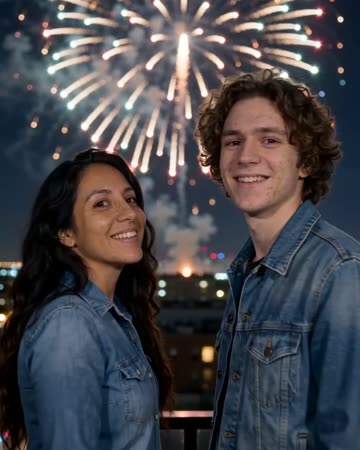
Fireworks AI: Balance a Night-Sky Reveal With a Readable Face
Fireworks appear behind the subject and cast changing light as they look upward. The sky provides the reveal, but the reaction on the face gives the scene a human focus. The preset requests firework bursts, echoes and celebratory music.
Use it for a fictional countdown ending or celebration greeting. Put real event dates in separate captions and review the generated burst-to-sound timing before export.
Inside this effect
From watching the sky to facing the camera
The shot begins behind the subjects watching a night skyline. Firework color catches their shoulders before they turn toward the camera and smile, with bursts continuing above and behind.
What makes the composition readable
A face lost in darkness provides little reference. Choose readable facial detail and enough sky so bright bursts do not compete with a crowded horizon.
Sound in a new creation
Burst sounds and distant echoes follow the fireworks, with restrained original celebratory music.
Choose the output for your edit
New drafts start at 12 seconds, 720p and vertical 9:16. Advanced shows the models and compatible lengths, resolutions and formats. Check the total credits before generating; the options follow the selected model.
From source photo to finished clip
Start with a solo or shared photo, or choose two separate sources when the idea includes a pair. Confirm the crop and current settings before generating.
Choose the sky space
Use an outdoor portrait with a clear upper background.
Inspect changing light
Review skin tone and eye visibility during the brightest bursts.
Time the celebration ending
Replay the generated bursts and sound together, then add your message or adjust the audio in your editor if needed.
Ways to use the result
A celebration ending
Hold the turn toward the camera before adding your closing greeting.
A night-sky transition
Connect the bursts to real skyline footage through similar light colors, without labeling the generated display as an actual event.
Prepare the source for this movement
- Leave visible sky above the head.
- Keep facial detail despite low light.
- Avoid bright source objects crossing the face.
Fireworks, lighting and burst sounds are model-generated rather than a real display recording. Bright light can shift skin tone; check burst-to-sound timing.
Frequently asked questions
Do I need a photo taken at night?
A clear outdoor portrait can be a starting point, but the generated night lighting may reinterpret the original scene.
Can I set an exact fireworks pattern?
There is no pattern or launch-timing editor in this form.
Why does skin color change?
Generated bursts cast colored light; inspect the face under different brightness levels before keeping the clip.
Will it add explosion sounds?
It requests celebratory bursts and reverberation synchronized to the fireworks, with restrained original music. You can adjust the mix after download.
Will the person always face away?
No. The direction starts behind the subjects and includes a turn toward the camera. Check the face after the turn.
Can the clip serve as a live event record?
The skyline, bursts and sound are generated. Use original recordings when an actual display must be documented.
Where is the cost shown, and what if generation fails?
The generation button shows the total for your selected model and output settings. Credits are deducted when the task is created; credits for a task confirmed failed are returned. Review the displayed total rather than assuming every model costs the same.
Explore another direction
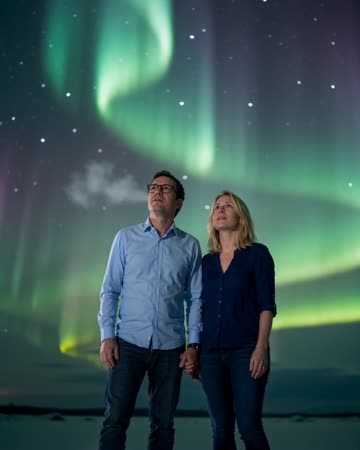
Northern Lights AI
travel dreams
Slow aurora ribbons cross a natural night backdrop while the source subject stays calmly posed. Sky space and visible facial detail need to work together rather than competing.
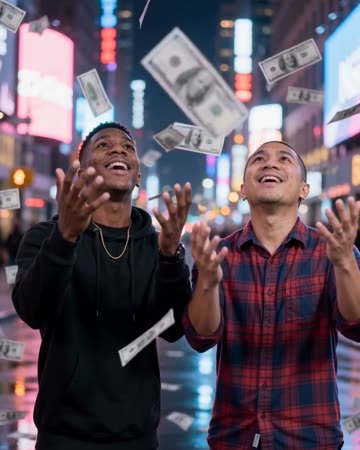
Money Rain AI
celebration
Banknotes drift around a naturally posed subject on a neon-lit street. Gaps around the head and shoulders let the viewer see the face while foreground paper passes at different distances.
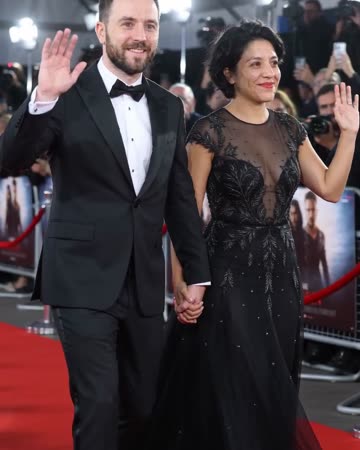
Red Carpet AI
event teasers
Formal eveningwear, a small forward step and a wave establish the arrival. Camera flashes alternate around the source people while the face and body remain the visual anchors.
Fireworks AI
Use an outdoor portrait with a clear upper background.
Create this effect