Red Carpet AI: Frame the Outfit, Turn and Camera Flashes
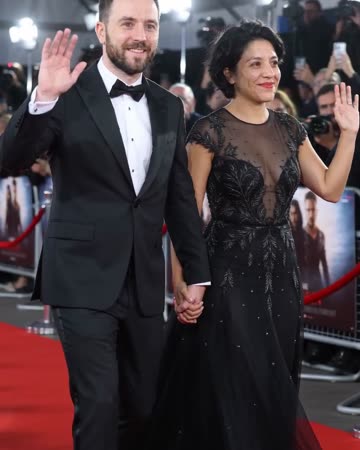
A red-carpet arrival combines a small turn with alternating camera flashes. Full-body framing gives the outfit a role while the face maintains the subject's identity. The preset requests camera shutters and quiet crowd ambience.
Use it as a fictional style entrance, a celebration opener or a fashion mood insert. Add any event title yourself so the shot does not imply real attendance.
Inside this effect
A step, a wave, the flashes
Formal eveningwear, a small forward step and a wave establish the arrival. Camera flashes alternate around the source people while the face and body remain the visual anchors.
What makes the composition readable
Bright flashes can change how skin and fabric look from frame to frame. Review the person under those changes rather than choosing a clip only for its event atmosphere.
Sound in a new creation
Camera shutters and quiet crowd ambience supply the event atmosphere, rather than a recording from a real ceremony.
Choose the output for your edit
New drafts start at 12 seconds, 720p and vertical 9:16. Advanced shows the models and compatible lengths, resolutions and formats. Check the total credits before generating; the options follow the selected model.
From source photo to finished clip
Start with a solo or shared photo, or choose two separate sources when the idea includes a pair. Confirm the crop and current settings before generating.
Choose the arrival silhouette
Check that the selected crop keeps the full look.
Review the flash sequence
Inspect eyes, fabric and shoes as the subject turns.
Name the fictional event
Add your own title and finish the entrance with a stable pose.
Ways to use the result
A fictional style entrance
Reveal the generated evening look and follow with real outfit details when the clothes themselves matter.
An event-themed introduction
Use your own event title on a separate card so the shot does not imply a real award or appearance.
Prepare the source for this movement
- Keep the whole outfit and shoes visible.
- Avoid cropped elbows during the turn.
- Choose fabric edges that separate from the background.
This is a generated carpet scene, not proof of attendance or endorsement. Clothing textures and lighting are not reliable product-color references.
Frequently asked questions
Can it place me at a real awards ceremony?
No. The backdrop is invented and should not be presented as documentary evidence.
Why include shoes in the source?
The full outfit and footing help the small turn read as a complete arrival pose.
Does it keep the original outfit?
The direction uses formal eveningwear. Treat the clothing as a generated style, not a faithful fitting of the source garment.
Can I add photographers' sound?
It requests shutter clicks timed to flashes, low crowd ambience and backing music. These are generated sounds, not a recording of a real event.
Can I set the flash pattern?
The flashes are part of the generated arrival. There is no lighting timeline or photographer-position control.
Where is the cost shown, and what if generation fails?
The generation button shows the total for your selected model and output settings. Credits are deducted when the task is created; credits for a task confirmed failed are returned. Review the displayed total rather than assuming every model costs the same.
Explore another direction
Luxury Lobby AI
Native-audio performance · photo to video
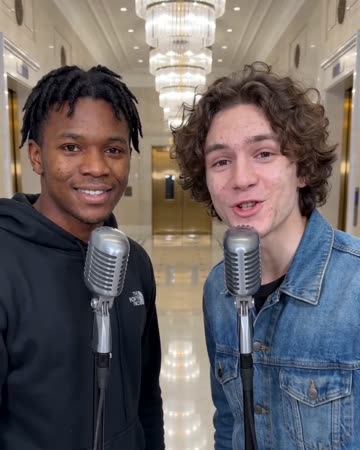
Warm marble and soft reflections establish a spacious lobby while a small push-in follows the performer. Keep the face as the anchor rather than letting the architecture become a property tour.
Outfit Switch AI
outfit collections
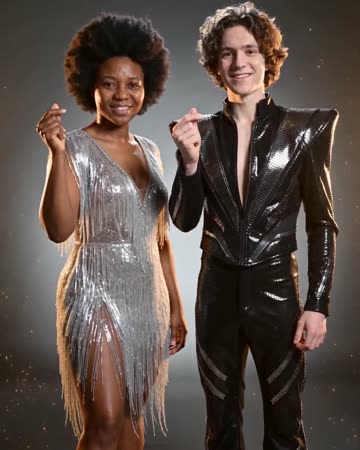
In a clean studio, a finger snap and flash reveal a different casual outfit; a second snap reveals formal eveningwear. Face, hair and body position remain the continuity anchors.
Live Concert AI
Native-audio performance · photo to video
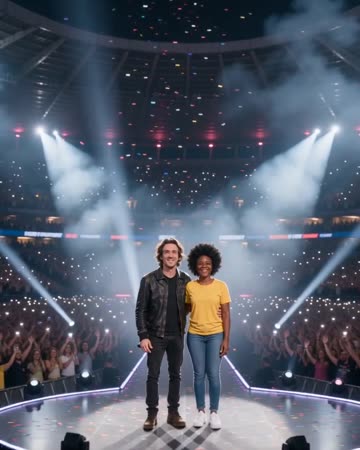
Audience lights establish a wide stadium before the camera approaches the source performers. Sweeping spotlights and light confetti lead to a shared wave toward the crowd.
Red Carpet AI
Check that the selected crop keeps the full look.
Create this effect