Money Rain AI: Keep the Portrait Visible Through Falling Notes
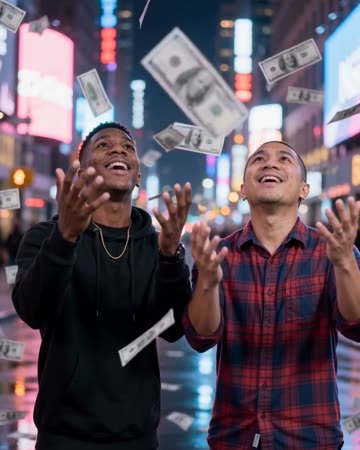
Drifting notes create foreground movement around a naturally posed subject on a neon-lit street. The strongest frame keeps the portrait as the anchor while the paper supplies depth and motion. The preset requests falling-banknote effects and light music.
Use the effect as a fictional celebration or a playful success metaphor. Keep any real financial figures in separately verified captions.
Inside this effect
Paper creates foreground depth
Banknotes drift around a naturally posed subject on a neon-lit street. Gaps around the head and shoulders let the viewer see the face while foreground paper passes at different distances.
What makes the composition readable
Too much foreground coverage can hide the expression. Leave space on both sides of the subject and inspect the moments when notes cross the face.
Sound in a new creation
Light falling-note effects and playful background music accompany the decorative scene.
Choose the output for your edit
New drafts start at 12 seconds, 720p and vertical 9:16. Advanced shows the models and compatible lengths, resolutions and formats. Check the total credits before generating; the options follow the selected model.
From source photo to finished clip
Start with a solo or shared photo, or choose two separate sources when the idea includes a pair. Confirm the crop and current settings before generating.
Reserve the falling space
Choose a crop that gives the notes room beside the subject.
Inspect foreground crossings
Watch whether banknotes obscure eyes or merge with hands.
Add the celebration context
Use a short caption to explain the fictional visual metaphor.
Ways to use the result
A fictional celebration
Use the falling notes as an exaggerated celebration, with the real reason for the milestone in your own caption.
A character mood switch
Cut from an ordinary portrait into the neon scene and back, making the imagined success metaphor clear.
Prepare the source for this movement
- Use a clear waist-up portrait.
- Leave air around the head and shoulders.
- Keep the source face free of foreground objects.
Note designs, lettering and denominations are not accurate. The scene is decorative and does not represent real earnings, wealth or a financial result.
Frequently asked questions
Can I select a particular currency?
There is no currency selector; treat generated notes as decorative shapes.
Will the notes carry readable numbers?
Do not rely on generated currency detail for readable or authentic values.
How do I keep the face visible?
Use open side space and a clear face, then select a result section with limited foreground occlusion.
Will it calculate or show real earnings?
No financial data is entered. Any earnings message must come from your own accurate material, not the generated notes.
Can two people stay in the shot?
Use a shared photo or separate sources, then inspect whether falling notes hide either face.
Where is the cost shown, and what if generation fails?
The generation button shows the total for your selected model and output settings. Credits are deducted when the task is created; credits for a task confirmed failed are returned. Review the displayed total rather than assuming every model costs the same.
Explore another direction
Fireworks AI
New Year
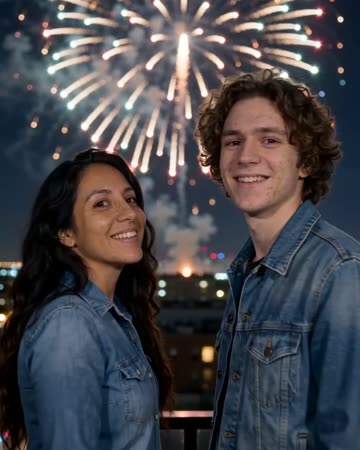
The shot begins behind the subjects watching a night skyline. Firework color catches their shoulders before they turn toward the camera and smile, with bursts continuing above and behind.
Red Carpet AI
event teasers
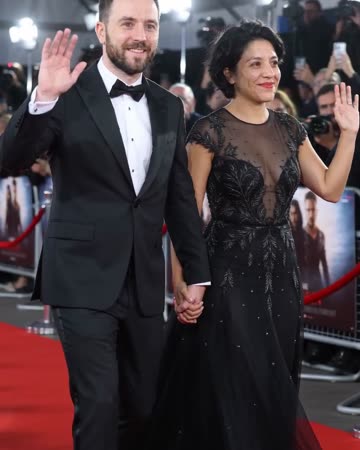
Formal eveningwear, a small forward step and a wave establish the arrival. Camera flashes alternate around the source people while the face and body remain the visual anchors.

Pizza Rain AI
food profiles
The viewpoint descends from above a stadium as pizza slices drift toward the source subjects. They look up, reach out and catch a slice, ending on delighted reactions with the stadium still behind them.
Money Rain AI
Choose a crop that gives the notes room beside the subject.
Create this effect