Pizza Rain AI: Make the Falling Food a Playful Foreground
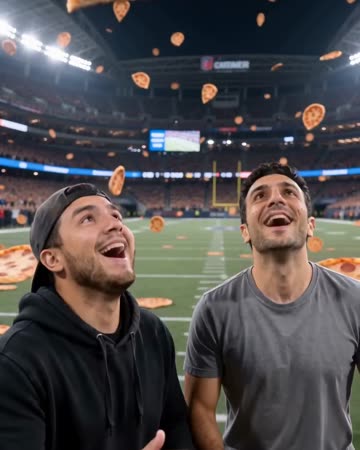
Create an absurd stadium reveal as pizza slices drift downward and the source subjects look up to catch one. The moving view connects the wide sky with a close delighted reaction.
Try a food-themed skit or a playful account intro. If selling an actual pizza, cut to real product footage for ingredients, size and presentation.
Inside this effect
From the stadium sky to a catch
The viewpoint descends from above a stadium as pizza slices drift toward the source subjects. They look up, reach out and catch a slice, ending on delighted reactions with the stadium still behind them.
What makes the composition readable
The joke becomes harder to read if every slice covers the face. Use open space around the portrait and keep the reaction simpler than the surrounding activity.
Sound in a new creation
Soft falling-object cues, a light reaction sound and upbeat original music support the absurd reveal.
Choose the output for your edit
New drafts start at 12 seconds, 720p and vertical 9:16. Advanced shows the models and compatible lengths, resolutions and formats. Check the total credits before generating; the options follow the selected model.
From source photo to finished clip
Start with a solo or shared photo, or choose two separate sources when the idea includes a pair. Confirm the crop and current settings before generating.
Choose the reaction
Start with an expression suited to a light, absurd scene.
Inspect food crossings
Review face coverage and any slice-to-hand contact.
Time the food joke
Add a short punchline and optional sound after selecting a readable section.
Ways to use the result
A food-themed skit
Keep the reach and catch visible before adding the comic closing line as your own caption.
An imaginary match-day celebration
Use the stadium view as a playful scene and cut to real food or match memories for factual details.
Prepare the source for this movement
- Use a clear waist-up reaction portrait.
- Leave room above and beside the head.
- Avoid hands already covering the mouth.
Food shapes and toppings are invented. Slice-hand interaction may distort, and the result cannot accurately represent a restaurant's real ingredients or portion sizes.
Frequently asked questions
Can I control the exact toppings?
No topping selector is provided; use real food footage for exact product information.
Will the subject catch or eat a slice?
The current direction includes looking up, reaching out and catching a slice. It does not specify an eating sequence.
Why does pizza pass through a hand?
Contact geometry may be inferred incorrectly; discard those sections rather than treating them as usable interaction.
Can I use it to show a restaurant’s actual pizza?
The toppings and slices are generated. Show real product footage for accurate ingredients, portions or menu claims.
Does the camera stay close to the face?
The direction begins above a stadium and descends toward the catch, so the environment is part of the reveal.
Where is the cost shown, and what if generation fails?
The generation button shows the total for your selected model and output settings. Credits are deducted when the task is created; credits for a task confirmed failed are returned. Review the displayed total rather than assuming every model costs the same.
Explore another direction
Money Rain AI
celebration
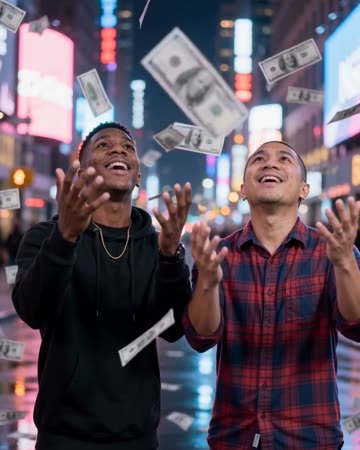
Banknotes drift around a naturally posed subject on a neon-lit street. Gaps around the head and shoulders let the viewer see the face while foreground paper passes at different distances.
Comic Book AI
comic avatar visuals
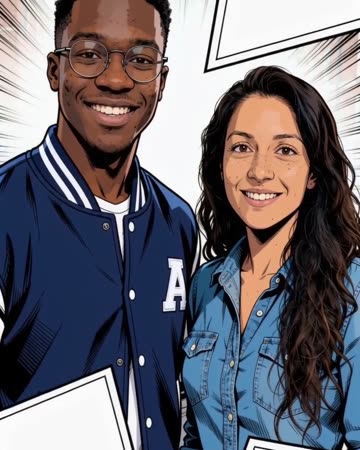
Bold outlines and flat comic colors transform the source subjects while small expressions continue. Clean graphic panels frame the shot without relying on automatically readable dialogue.
Live Concert AI
Native-audio performance · photo to video
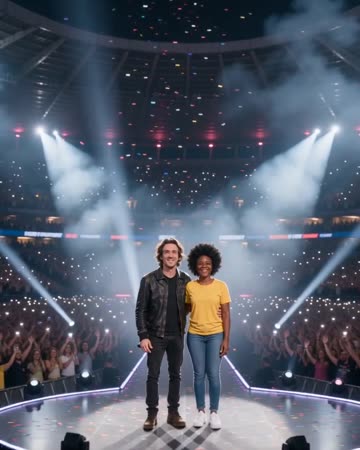
Audience lights establish a wide stadium before the camera approaches the source performers. Sweeping spotlights and light confetti lead to a shared wave toward the crowd.
Pizza Rain AI
Start with an expression suited to a light, absurd scene.
Create this effect