Comic Book AI: Translate Expression Into Lines and Color Blocks
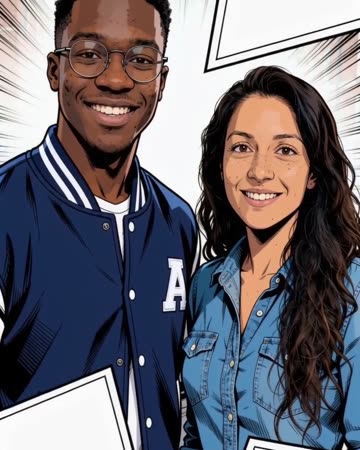
Comic styling changes how information is drawn: clear outlines and bold color blocks replace some realistic texture. Restrained movement helps the original expression remain the main connection to the person. The preset requests comic-transformation effects and playful music.
Use the shot in a character card, a comic-style intro or a panel-to-motion transition. Add readable speech bubbles and lettering afterward.
Inside this effect
Ink outlines replace photographic texture
Bold outlines and flat comic colors transform the source subjects while small expressions continue. Clean graphic panels frame the shot without relying on automatically readable dialogue.
What makes the composition readable
Even lighting provides a cleaner starting point than deep shadows and tiny patterns. Review the animated lines around eyes and mouth, not only the first stylized frame.
Sound in a new creation
Playful transformation cues and original music accompany the ink-and-color change, without spoken dialogue.
Choose the output for your edit
New drafts start at 12 seconds, 720p and vertical 9:16. Advanced shows the models and compatible lengths, resolutions and formats. Check the total credits before generating; the options follow the selected model.
From source photo to finished clip
Start with a solo or shared photo, or choose two separate sources when the idea includes a pair. Confirm the crop and current settings before generating.
Choose the expression
Use a source whose emotion reads without captions.
Inspect moving outlines
Watch eyes, mouth and clothing borders for unstable line changes.
Build the panel edit
Add panels, lettering and sound as separate editing layers.
Ways to use the result
A moving character card
Introduce the stylized face first and add the name in your own consistent lettering afterwards.
A panel-to-video transition
Use the graphic border as the cut point between still panels and moving source footage.
Prepare the source for this movement
- Choose evenly lit facial features.
- Avoid dense tiny clothing patterns.
- Keep the expression clear before stylization.
Comic styling reinterprets skin and materials. It does not guarantee a named artist's exact style or accurate generated lettering and cannot preserve every photographic detail.
Frequently asked questions
Will it create readable speech bubbles automatically?
Use an editor for exact bubble shapes and wording; the preset does not provide a lettering tool.
Why did skin texture disappear?
Simplifying photographic texture into graphic color blocks is part of this direction.
Can I choose a specific comic artist?
There is no artist-style selector; evaluate the generated line-and-color treatment on its own.
Should the photo already be a drawing?
A clear photo can be the starting point; pre-existing stylization may add competing line information.
Will the subject keep moving after stylization?
Small natural expressions remain part of the direction. Inspect eyes and mouth across frames rather than judging only the first drawn image.
Can it produce a whole comic page?
This page produces a short video transformation, without page-layout or multi-panel story editing controls.
Where is the cost shown, and what if generation fails?
The generation button shows the total for your selected model and output settings. Credits are deducted when the task is created; credits for a task confirmed failed are returned. Review the displayed total rather than assuming every model costs the same.
Explore another direction
Turning Metal AI
science-fiction edits
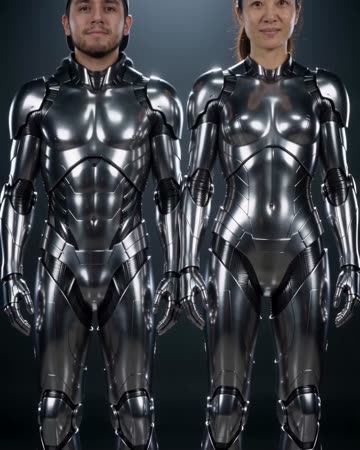
A polished chrome transformation travels upward across legs, clothing, torso and finally the face. The camera tilts with the change and ends on recognizable metallic figures.
AI Halloween Costume
seasonal outfit edits
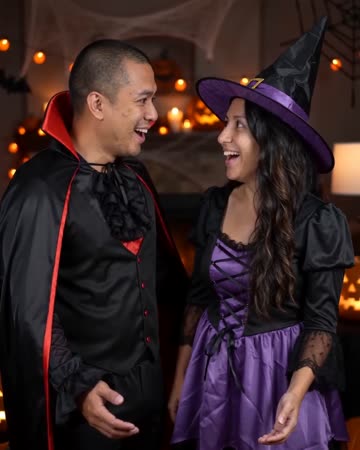
Everyday clothing becomes a playful Halloween outfit under warm party light. One natural turn and a small light cue carry the reveal while the face remains open and recognizable.
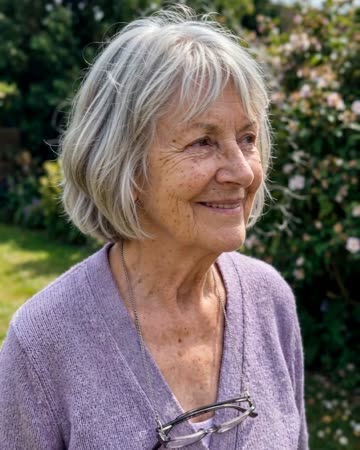
Photo to Video AI
animated albums
Natural breathing, subtle environmental motion and a slow camera move add life without replacing the source composition. The people and setting should remain recognizable through one continuous clip.
Comic Book AI
Use a source whose emotion reads without captions.
Create this effect