Photo to Video AI: Add Motion Without Losing the Composition
A still can feel alive through small changes: breathing, moving surroundings and a slow camera move. This general preset uses that restrained approach as a starting point before a stronger transformation. The preset requests ambience and music matched to the photo’s setting.
Animate a presentation still, an album image or a quiet social intro. If the story requires a hug, clones or an Earth zoom, open that effect's own page for its photo requirements.
Inside this effect
Keep the photograph as the anchor
Natural breathing, subtle environmental motion and a slow camera move add life without replacing the source composition. The people and setting should remain recognizable through one continuous clip.
What makes the composition readable
Look for subject-background separation and a clear visual center. Text, fine patterns and crowded edges are more fragile when a single image becomes a sequence.
Sound in a new creation
Scene-matched ambience and restrained music accompany the motion; no script or narration is added.
Choose the output for your edit
New drafts start at 12 seconds, 720p and vertical 9:16. Advanced shows the models and compatible lengths, resolutions and formats. Check the total credits before generating; the options follow the selected model.
From source photo to finished clip
Upload one clear still image as the starting point. Check the selected frame and Advanced settings, then review the full generated clip before downloading.
Find the visual center
Choose what should remain recognizable as the photo begins to move.
Test restrained motion
Review edges, faces and small patterns in a short generated result.
Select a stronger direction if needed
Keep the natural motion or move to a dedicated preset with suitable source material.
Ways to use the result
A presentation still that moves
Use restrained movement while a spoken presentation supplies the information, keeping text outside the generated image.
A quiet album transition
Let the image move briefly between two stills instead of replacing the entire album with dramatic effects.
Prepare the source for this movement
- Keep one main subject easy to identify.
- Use sharp boundaries between subject and background.
- Avoid essential text embedded in the image.
A still image does not contain hidden viewpoints or exact object motion. Fine text, hands and repeated patterns can change; this is not guaranteed frame-preserving animation.
Frequently asked questions
What is added beyond a slow zoom?
The direction can include subject and environmental motion, though the actual balance depends on the image and model.
Will a printed logo stay exact?
Not reliably. For important branding or labels, add a verified overlay in editing.
Is this a video-editing upload tool?
This workflow starts with one still photo rather than an existing video timeline.
When should I choose a dedicated effect?
Choose one when the intended action has specific input needs, such as two visible people for an embrace.
Will it turn a photo into a new storyline?
The direction focuses on natural motion within the supplied scene. Choose a dedicated effect when the story needs a new action or transformation.
Can I use it for a product demonstration?
It can animate a source image, but movement, labels and hidden surfaces are inferred. Use real footage for verifiable product behavior.
Where is the cost shown, and what if generation fails?
The generation button shows the total for your selected model and output settings. Credits are deducted when the task is created; credits for a task confirmed failed are returned. Review the displayed total rather than assuming every model costs the same.
Explore another direction
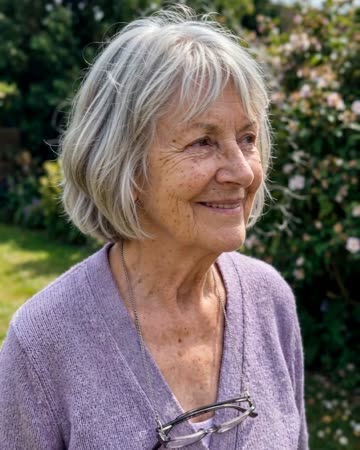
Animate Old Photos
family albums
A blink, natural breathing and a gentle smile add motion to an old portrait. The direction keeps the original framing rather than introducing a new scene or an elaborate camera journey.

Earth Zoom Out AI
travel intros
The camera leaves the person or landmark, rises through surroundings and clouds, and ends on Earth against space. The continuous change in scale needs a readable opening before the source becomes small.
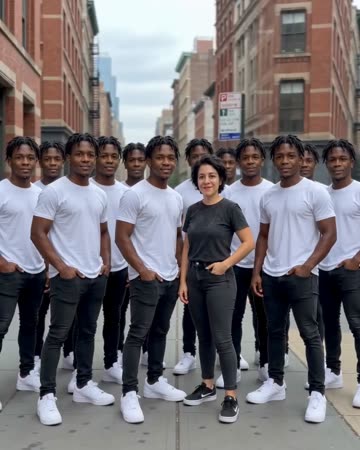
AI Clone Video
playful introductions
Copies emerge behind the source people in successive rows while the camera eases backward. A solo source keeps one original in front; a two-person source retains both original people.
Photo to Video AI
Choose what should remain recognizable as the photo begins to move.
Create this effect