Animate Old Photos: Keep the Motion Smaller Than the Memory
For an old portrait, a small blink or breath can be enough. This preset favors limited motion and original framing rather than introducing new people, objects or a dramatic camera journey. The preset requests gentle nostalgic music and quiet ambience.
Use a brief movement in an album presentation, with factual names and dates on separate captions. Returning to the still at the end can preserve the photograph's original character.
Inside this effect
Small movement, familiar framing
A blink, natural breathing and a gentle smile add motion to an old portrait. The direction keeps the original framing rather than introducing a new scene or an elaborate camera journey.
What makes the composition readable
Animation cannot reveal what a damaged photograph never recorded. Missing facial detail is inferred, so compare the result with the original instead of interpreting new features as historical discoveries.
Sound in a new creation
Gentle nostalgic music and quiet ambience accompany the portrait. They do not recover a historical voice from the image.
Choose the output for your edit
New drafts start at 12 seconds, 720p and vertical 9:16. Advanced shows the models and compatible lengths, resolutions and formats. Check the total credits before generating; the options follow the selected model.
From source photo to finished clip
Upload one clear still image as the starting point. Check the selected frame and Advanced settings, then review the full generated clip before downloading.
Preserve the scan
Work on a copy after straightening and removing distracting borders.
Review the smallest movements
Inspect blinks and head position against the original portrait.
Keep the factual context
Add verified album information and retain the original photo alongside the clip.
Ways to use the result
A family-album pause
Show the still image first, hold the small movement, then return to a dated photograph or caption.
A historical portrait introduction
Use factual biographical captions outside the animated face, keeping the picture itself easy to compare.
Prepare the source for this movement
- Scan the print without glass glare.
- Crop away the physical frame before animating.
- Choose a face with readable eyes and mouth.
This is animation, not forensic restoration or recovered footage. Teeth, eyes and unseen angles may be invented; a subtle result can still differ from the real person.
Frequently asked questions
Will it repair damaged areas before animating?
This page animates the image supplied. Prepare a cleaner scan elsewhere if damage obscures the eyes or mouth, while retaining the untouched original.
Can it show the person's true smile?
It can imagine a smile from visible features, but cannot know the person's actual expression or behavior.
Should I choose a large camera movement?
The effect’s character is small portrait motion. For a large spatial pullback, use a dedicated camera effect instead.
Does it automatically colorize the photo?
Use the photo restoration tool for repairs and colorization. Added colors may differ from the original scene.
Where is the cost shown, and what if generation fails?
The generation button shows the total for your selected model and output settings. Credits are deducted when the task is created; credits for a task confirmed failed are returned. Review the displayed total rather than assuming every model costs the same.
Explore another direction
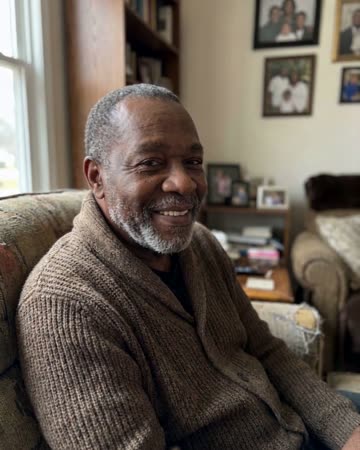
AI Tribute Video
personal tributes
A small blink and natural breathing meet a gentle camera approach. The quiet movement gives a tribute a living rhythm while leaving the surrounding biography to your real photographs and captions.
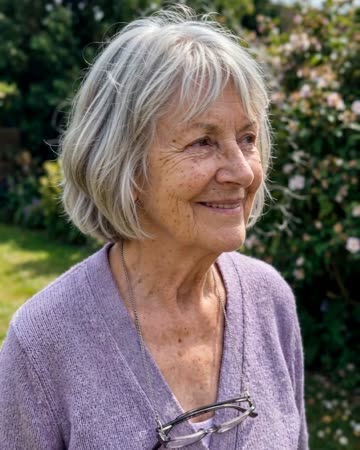
Photo to Video AI
animated albums
Natural breathing, subtle environmental motion and a slow camera move add life without replacing the source composition. The people and setting should remain recognizable through one continuous clip.
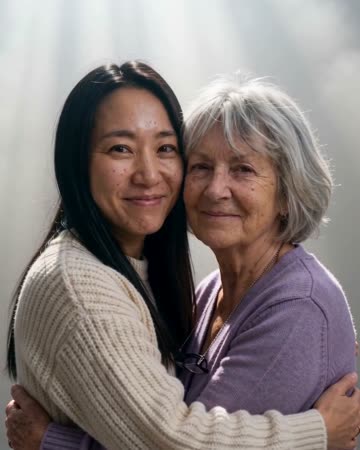
Hug a Deceased Loved One
family remembrance
A slow approach leads to a restrained embrace with a steady camera. The source faces remain the emotional anchor; the scene is an interpretation of closeness, not a recovered family recording.
Animate Old Photos
Work on a copy after straightening and removing distracting borders.
Create this effect