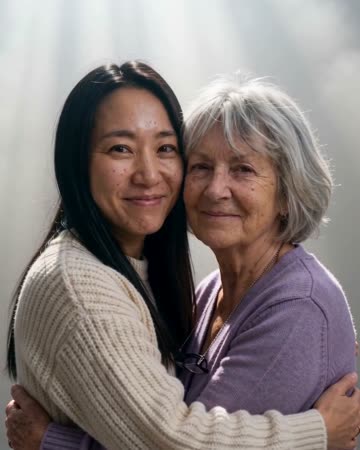
Memorial Hug: Prepare a Gentle Imagined Moment
A memorial hug is an imagined moment of closeness, not a recovered recording. The direction uses a slow approach and restrained embrace so the focus remains on the people rather than spectacle. The preset requests restrained memorial music and subtle ambience.
Keep it in a private remembrance or combine it with factual album captions. A still image before or after the clip can anchor the tribute in the original photograph.
Inside this effect
A gentle imagined meeting
A slow approach leads to a restrained embrace with a steady camera. The source faces remain the emotional anchor; the scene is an interpretation of closeness, not a recovered family recording.
What makes the composition readable
Prepare the image thoughtfully and consider whether relatives want to see an animated interpretation. A clean scan and similar face scales make review easier, but cannot establish how a person would really have moved.
Sound in a new creation
Restrained memorial music and subtle room ambience keep the scene quiet; no dialogue is invented for the loved one.
Choose the output for your edit
New drafts start at 12 seconds, 720p and vertical 9:16. Advanced shows the models and compatible lengths, resolutions and formats. Check the total credits before generating; the options follow the selected model.
From source photo to finished clip
Add one clear portrait per person or use a shared photo. In separate-photo mode, check the prepared two-person composition before submitting.
Prepare a respectful source
Keep an untouched original and create a separate working copy.
Review likeness slowly
Inspect faces and arms through the embrace before deciding to keep it.
Choose the sharing context
Add accurate personal captions and consider a private family viewing first.
Ways to use the result
A private remembrance
Keep the original photo before the animated embrace and choose the audience thoughtfully.
An album with factual captions
Use verified names and dates around the clip, separating the family record from the imagined movement.
Prepare the source for this movement
- Add a clear portrait of each person, or one photo together with both faces visible.
- Match the approximate scale of the two faces.
- Avoid guessing heavily damaged facial details first.
The model can change expressions and invent contact details. This output cannot recover someone's intent, voice or actual behavior and should not replace the original record.
Frequently asked questions
Will it recreate how my loved one actually moved?
A photo cannot establish a person’s actual movement or intention. Treat the embrace as a creative interpretation and keep the original image.
Can I combine an old portrait with a recent one?
Yes. Use the separate sources and compare face scale, clarity and shoulder direction before generating.
Can it recreate the person's voice?
It generates restrained memorial music and subtle ambience. It does not recover the deceased person's real voice from a photo or fabricate a personal message from them.
What if the result feels unlike the person?
Do not feel obliged to keep it. Return to the original photo or try a simpler source with less movement.
Where is the cost shown, and what if generation fails?
The generation button shows the total for your selected model and output settings. Credits are deducted when the task is created; credits for a task confirmed failed are returned. Review the displayed total rather than assuming every model costs the same.
Explore another direction
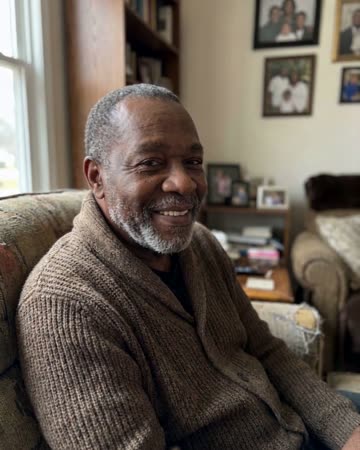
AI Tribute Video
personal tributes
A small blink and natural breathing meet a gentle camera approach. The quiet movement gives a tribute a living rhythm while leaving the surrounding biography to your real photographs and captions.
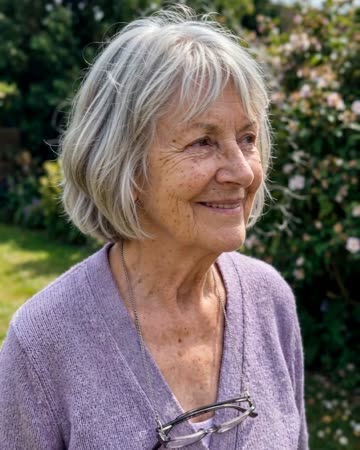
Animate Old Photos
family albums
A blink, natural breathing and a gentle smile add motion to an old portrait. The direction keeps the original framing rather than introducing a new scene or an elaborate camera journey.
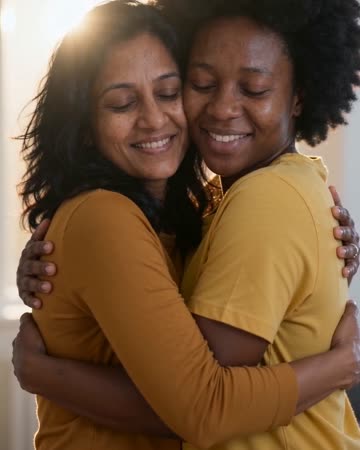
AI Hug Generator
reunion edits
The pair move closer and bring their arms together while the camera stays steady. Leave shoulder space in the starting composition so the contact can develop visibly rather than beginning with tangled limbs.
Hug a Deceased Loved One
Keep an untouched original and create a separate working copy.
Create this effect