AI Clone Video: Reveal Copies Behind Your Original Cast
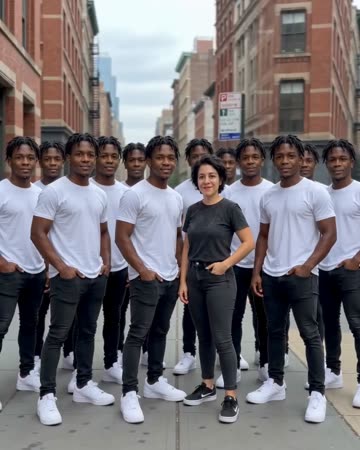
The original person or pair stays at the front while matching copies appear behind. A steady view makes the multiplication readable; the preset requests subtle appearance effects and rhythmic music.
Try a playful introduction, a visual metaphor for several roles or a team-of-one joke. Add role labels after generation rather than asking clothing text to carry the meaning.
Inside this effect
The original stays in front
Copies emerge behind the source people in successive rows while the camera eases backward. A solo source keeps one original in front; a two-person source retains both original people.
What makes the composition readable
Empty space is an active part of this composition. If the source already fills the frame, new copies have less room and are more likely to overlap the original.
Sound in a new creation
Subtle appearance effects and rhythmic music accompany the multiplying figures, without inventing dialogue for the copies.
Choose the output for your edit
New drafts start at 12 seconds, 720p and vertical 9:16. Advanced shows the models and compatible lengths, resolutions and formats. Check the total credits before generating; the options follow the selected model.
From source photo to finished clip
Upload one clear still image as the starting point. Check the selected frame and Advanced settings, then review the full generated clip before downloading.
Reserve the lineup space
Choose a half- or full-body image with room on both sides.
Count and compare copies
Watch the reveal and inspect each face, clothing outline and overlapping edge.
Give each copy a role
Use separate labels or cuts to explain the roles in your final edit.
Ways to use the result
A team of one
Use a solo source and add different role labels afterwards to turn the copies into a playful work metaphor.
A duplicated duo
Use one clear photo of both people and compare the front pair with the rows appearing behind them.
Prepare the source for this movement
- Leave open areas beside the main subject.
- Keep clothing outlines and face details distinct.
- Avoid other people already crowding the background.
Copy count and identity consistency can vary. The form has no exact clone-count control, and overlapping limbs may require rejecting part of the result.
Frequently asked questions
Can I choose an exact number of copies?
There is no count field. The reveal and number of copies are generated within the selected clip length.
Why use a steady camera for clones?
A stable background makes new copies easier to distinguish from changes caused by camera movement.
Can the clones wear different outfits?
This preset starts from the same subject appearance and has no per-copy clothing controls.
What if a copy merges into the original?
Try a source with stronger subject separation and more side space; discard visibly merged frames.
Will a solo photo add a second original person?
The direction copies only the people visible in the source. Check the front row first when reviewing identity consistency.
Where is the cost shown, and what if generation fails?
The generation button shows the total for your selected model and output settings. Credits are deducted when the task is created; credits for a task confirmed failed are returned. Review the displayed total rather than assuming every model costs the same.
Explore another direction

Giant AI Video
urban concepts
A low street view places the source people between city buildings at giant scale. A slow careful step and small cars below establish the contrast while the figures stay recognizable.
Bullet Time AI
sports concepts
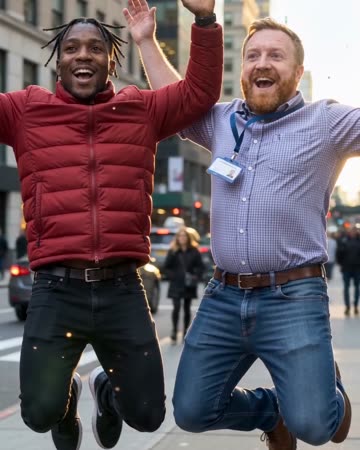
The source subjects leap, slow to an almost suspended pose and remain airborne during a short lateral camera arc. Shifting background parallax supplies the sense of moving around the moment.

Disintegration AI
story endings
Golden particles dissolve the source subjects from their edges toward their faces. The fixed room and furniture remain after the figures disappear, giving the clip a clear exit rather than only a decorative overlay.
AI Clone Video
Choose a half- or full-body image with room on both sides.
Create this effect