Giant AI Video: Use City Scale to Make the Portrait Tower
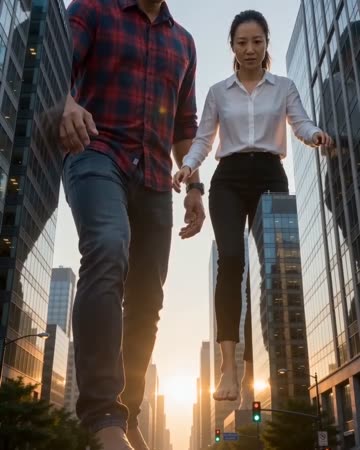
A low angle and a city backdrop make an oversized subject feel monumental. The buildings act as scale references while a slow camera move reveals the contrast. The preset requests city ambience and low-frequency effects that suggest scale.
Use it for a fantasy character entrance or a playful city takeover concept. Identify it as fictional when the backdrop resembles a real place.
Inside this effect
A careful step above small cars
A low street view places the source people between city buildings at giant scale. A slow careful step and small cars below establish the contrast while the figures stay recognizable.
What makes the composition readable
The person must remain a readable figure rather than a face floating above a skyline. Complete limbs and a clear lower-body outline help connect the imagined size to the scene.
Sound in a new creation
City ambience and low-frequency scale effects support the scene, without a narrated claim about a real event.
Choose the output for your edit
New drafts start at 12 seconds, 720p and vertical 9:16. Advanced shows the models and compatible lengths, resolutions and formats. Check the total credits before generating; the options follow the selected model.
From source photo to finished clip
Start with a solo or shared photo, or choose two separate sources when the idea includes a pair. Confirm the crop and current settings before generating.
Choose the oversized figure
Pick a complete pose that remains readable as a silhouette.
Compare person and buildings
Inspect intersections and changing anatomy as the camera moves.
Finish the fantasy scale
Use a wide establishing cut before moving to a closer detail.
Ways to use the result
A fantasy city entrance
Reveal the small cars before the giant’s face so the scale becomes clear in stages.
A larger-than-life persona
Use the scene as a symbolic self-introduction, followed by your real work rather than destruction imagery.
Prepare the source for this movement
- Use an unobstructed full-body source.
- Avoid a pose with hidden legs.
- Keep enough headroom for low-angle reinterpretation.
Subject-building ratios are artistic, not real measurements. The city may be invented and the shot does not document a physical event or structural interaction.
Frequently asked questions
Can I set the giant's exact height?
There is no height control; judge the generated visual scale rather than a numerical measurement.
Must the source be photographed in a city?
No. A complete clear person is the main reference for the generated city scene.
Why do feet overlap buildings?
The model invents ground placement and scale from a single image; inspect those boundaries carefully.
Can it simulate real damage to a city?
This direction is a stylized scale scene, not an engineering or damage simulation.
Will the giant run through the buildings?
The current direction uses a slow careful step. It is not a selectable running or destruction sequence.
Can two people appear at giant scale?
A shared photo or optional separate sources can supply a pair. Review each body against buildings and road depth.
Where is the cost shown, and what if generation fails?
The generation button shows the total for your selected model and output settings. Credits are deducted when the task is created; credits for a task confirmed failed are returned. Review the displayed total rather than assuming every model costs the same.
Explore another direction
Bullet Time AI
sports concepts
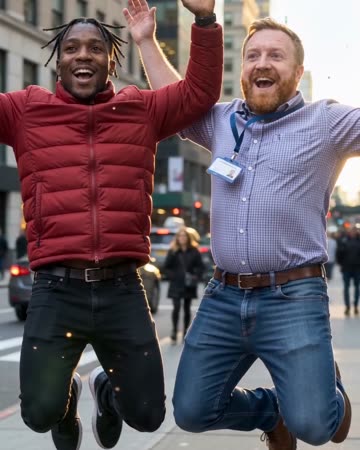
The source subjects leap, slow to an almost suspended pose and remain airborne during a short lateral camera arc. Shifting background parallax supplies the sense of moving around the moment.
Levitation AI
fantasy clips
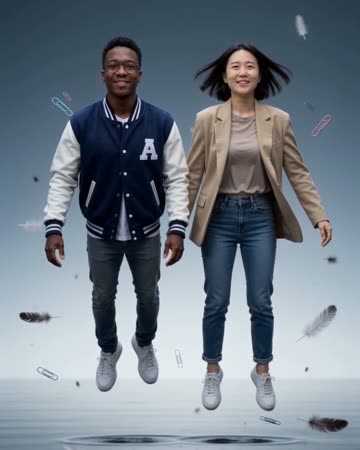
A steady wide view shows the subject rising gently above the ground. Subtle clothing movement supports the floating impression while the visible floor provides the reference for height.
Earth Zoom Out AI
travel intros
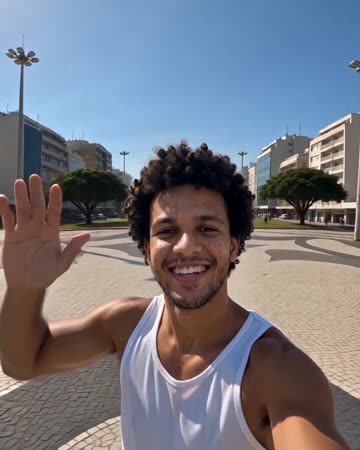
The camera leaves the person or landmark, rises through surroundings and clouds, and ends on Earth against space. The continuous change in scale needs a readable opening before the source becomes small.
Giant AI Video
Pick a complete pose that remains readable as a silhouette.
Create this effect