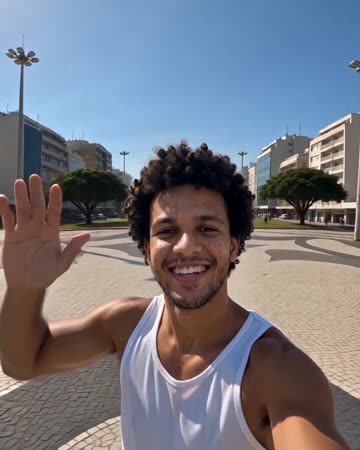
Earth Zoom Out AI: From Your Photo to Planet Scale
The visual idea is a continuous change of scale: start near a person or place, rise through the surroundings and clouds, then pull toward Earth. The opening needs a recognizable anchor so the expanding view has meaning. The preset requests rising wind sounds and a spacious atmosphere.
Use the outward move to open a travel diary or move from a personal story to a wider topic. For the opposite direction, reverse the downloaded clip in an editor and cut from its close end to your real footage.
Inside this effect
From a local anchor to the whole Earth
The camera leaves the person or landmark, rises through surroundings and clouds, and ends on Earth against space. The continuous change in scale needs a readable opening before the source becomes small.
What makes the composition readable
This is an imagined camera journey, not a satellite lookup. Environmental clues can guide the beginning, but terrain revealed outside the photograph is generated rather than a verified route from that location.
Sound in a new creation
Rising wind and spacious atmospheric music follow the outward move; there is no spoken geographic narration.
Choose the output for your edit
New drafts start at 12 seconds, 720p and vertical 9:16. Advanced shows the models and compatible lengths, resolutions and formats. Check the total credits before generating; the options follow the selected model.
From source photo to finished clip
Upload one clear still image as the starting point. Check the selected frame and Advanced settings, then review the full generated clip before downloading.
Choose the starting anchor
Pick a photo where the person or location reads immediately before the camera leaves it.
Review the change of scale
Generate a short shot and examine the move from nearby detail toward the wide Earth view.
Connect the wide and close ends
Use the clip forward for an expansion or reverse it externally for an arrival transition.
Ways to use the result
Open a travel diary
Start with your own landmark, hold the planet ending and cut into the first real travel scene.
A personal story with wider scope
Use the changing scale between a personal introduction and a larger theme, adding your own chapter title afterwards.
Prepare the source for this movement
- Keep the person or landmark distinct from nearby clutter.
- An outdoor image with visible surroundings gives the opening spatial clues.
- Check that a portrait crop does not remove the starting landmark.
Coastlines, city blocks and cloud paths may be invented. The page offers no coordinate, real-address or map-accuracy control, and the shot should not be presented as a factual aerial survey.
Frequently asked questions
Do I upload a photo or a drone video?
This workflow starts with one photo. The upward camera move is generated; a recorded drone flight is not required as input.
Can I choose an exact city or coordinate?
There is no coordinate field here. Treat the location beyond the source image as illustrative scenery rather than an accurate map.
Can it become a zoom-in transition?
Download the outward shot and reverse it in your editor. Match its final close framing to the next clip for a cleaner handoff.
Why does the landscape differ from my photo location?
A single image does not contain the unseen surroundings. The model fills that space creatively, so recognizable geography is not guaranteed.
Can I control the exact cloud route?
There is no route editor. Watch the continuous movement and the final planet view rather than treating the unseen geography as a mapped flight.
Should I begin with a face or a landscape?
A face makes the opening personal; a distinct landmark gives spatial context. In either case keep the starting subject clear in the selected ratio.
Where is the cost shown, and what if generation fails?
The generation button shows the total for your selected model and output settings. Credits are deducted when the task is created; credits for a task confirmed failed are returned. Review the displayed total rather than assuming every model costs the same.
Explore another direction
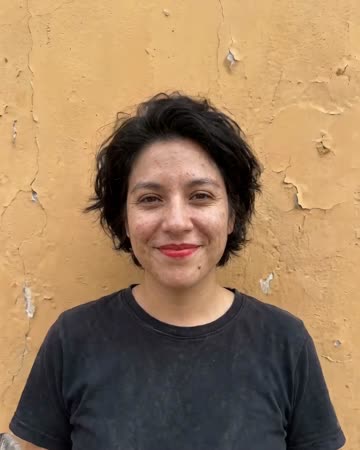
AI Video of Yourself
personal introductions
The shot starts close to the source person, rises above streets and coastline, crosses clouds and finishes with the whole Earth. Your face introduces the journey rather than staying large throughout.
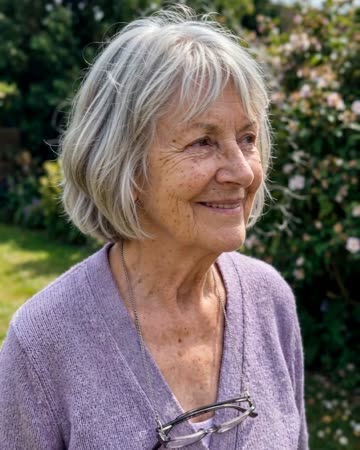
Photo to Video AI
animated albums
Natural breathing, subtle environmental motion and a slow camera move add life without replacing the source composition. The people and setting should remain recognizable through one continuous clip.
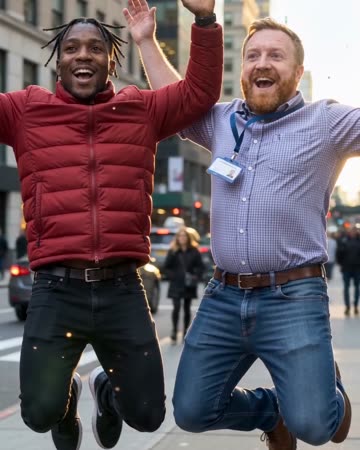
Bullet Time AI
sports concepts
The source subjects leap, slow to an almost suspended pose and remain airborne during a short lateral camera arc. Shifting background parallax supplies the sense of moving around the moment.
Earth Zoom Out AI
Pick a photo where the person or location reads immediately before the camera leaves it.
Create this effect