Halloween Costume AI: Let the Outfit Reveal Carry the Shot
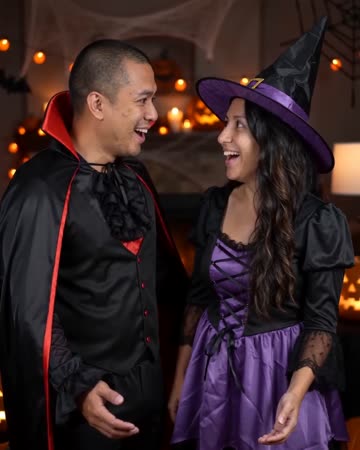
The reveal moves everyday clothing toward a playful Halloween look. A natural turn and subtle light effect carry the transition while the face remains the identity anchor. The preset requests costume-change effects and festive party music.
Use the transformation before a party invitation or as a character entrance. Add event information separately so the generated costume is not asked to display exact text.
Inside this effect
The turn that reveals a costume
Everyday clothing becomes a playful Halloween outfit under warm party light. One natural turn and a small light cue carry the reveal while the face remains open and recognizable.
What makes the composition readable
Accessories should support the costume without consuming the face. Large masks, hats and overlapping props make it harder to tell whether the same person remains in the shot.
Sound in a new creation
Costume-transition effects and festive party music accompany the reveal, without invented dialogue.
Choose the output for your edit
New drafts start at 12 seconds, 720p and vertical 9:16. Advanced shows the models and compatible lengths, resolutions and formats. Check the total credits before generating; the options follow the selected model.
From source photo to finished clip
Start with a solo or shared photo, or choose two separate sources when the idea includes a pair. Confirm the crop and current settings before generating.
Choose the before look
Pick a simple outfit whose boundaries are easy to distinguish.
Watch the clothing change
Inspect sleeves, hands and the face through the transition.
Reveal the character
Cut after the costume settles and add your invitation or title externally.
Ways to use the result
A costume-party invitation
Reveal the outfit first and add your actual party details on a separate card.
A seasonal profile clip
Pair the transformed look with a real portrait so viewers can recognize the person beneath the costume.
Prepare the source for this movement
- Keep the face unobstructed.
- Show the existing outfit's outline clearly.
- Use half- or full-body framing with room for a turn.
Costume details are generated rather than selected from a product catalog. This is not a fitting service, and fabric, sizing or a named character costume cannot be guaranteed.
Frequently asked questions
Can I select a pumpkin or skeleton option?
This form has no costume picker. The outfit is generated by the preset rather than selected from a product catalog.
Should the source already include a mask?
An uncovered face gives a stronger identity reference; a mask removes useful facial information.
Can it show how the outfit really fits?
No. Generated clothing does not establish real garment measurements, material behavior or fit.
How can the reveal remain easy to follow?
Keep the starting pose simple and let the costume change be the main action rather than adding several competing effects.
Is it the same transition as Outfit Switch?
Halloween uses a turn and party light for a seasonal reveal. Outfit Switch uses finger snaps and flashes for two style changes.
Where is the cost shown, and what if generation fails?
The generation button shows the total for your selected model and output settings. Credits are deducted when the task is created; credits for a task confirmed failed are returned. Review the displayed total rather than assuming every model costs the same.
Explore another direction
Outfit Switch AI
outfit collections
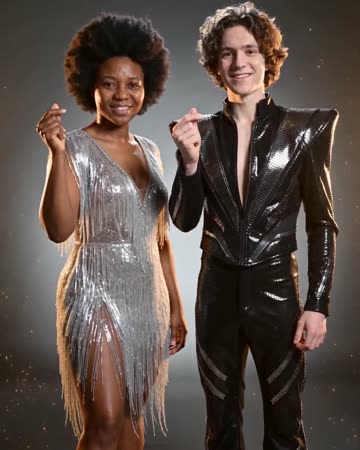
In a clean studio, a finger snap and flash reveal a different casual outfit; a second snap reveals formal eveningwear. Face, hair and body position remain the continuity anchors.

AI Zombie Trend
story shorts
A cool abandoned interior frames recognition between the pair. A brief warm memory shows them alive and smiling before the clip returns to the present and ends in an embrace.
Comic Book AI
comic avatar visuals
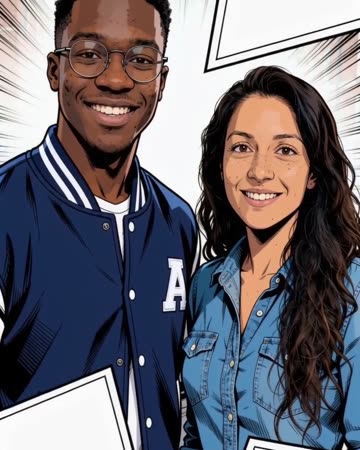
Bold outlines and flat comic colors transform the source subjects while small expressions continue. Clean graphic panels frame the shot without relying on automatically readable dialogue.
AI Halloween Costume
Pick a simple outfit whose boundaries are easy to distinguish.
Create this effect