Northern Lights AI: Compose the Portrait Beneath the Aurora
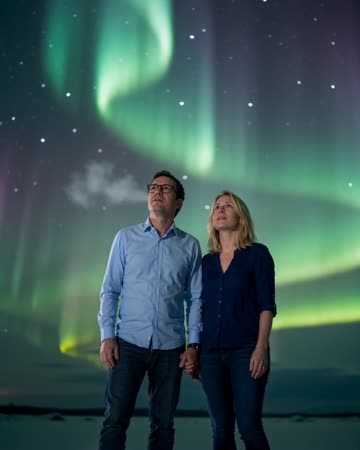
Slowly flowing aurora provides background movement while the subject remains calm. The composition works through a balance of sky space and a readable person below it. The preset requests quiet wind and soothing atmospheric music.
Use the shot for an imagined northern journey, a winter mood sequence or a quiet closing image. Keep factual travel claims separate from generated scenery.
Inside this effect
Let the sky move behind a calm portrait
Slow aurora ribbons cross a natural night backdrop while the source subject stays calmly posed. Sky space and visible facial detail need to work together rather than competing.
What makes the composition readable
A tiny silhouette may suit scenery but lose personal identity. Decide whether the clip is mainly about the person or the sky, then choose a crop that supports that emphasis.
Sound in a new creation
Quiet wind and soothing atmospheric music accompany the night scene, without a weather announcement.
Choose the output for your edit
New drafts start at 12 seconds, 720p and vertical 9:16. Advanced shows the models and compatible lengths, resolutions and formats. Check the total credits before generating; the options follow the selected model.
From source photo to finished clip
Start with a solo or shared photo, or choose two separate sources when the idea includes a pair. Confirm the crop and current settings before generating.
Balance person and sky
Choose which should lead and preserve enough space for both.
Review the night conversion
Inspect facial visibility and the boundary between aurora and landscape.
Set the closing mood
Listen to the calm music and night ambience, keep the mix restrained, then add a short caption.
Ways to use the result
An imagined northern journey
Use the sky as a mood scene and keep actual travel dates attached only to your real photographs.
A quiet closing image
Let the flowing light hold after a personal message, with captions kept below the main aurora.
Prepare the source for this movement
- Leave substantial sky above the subject.
- Keep the person distinguishable from the dark foreground.
- Avoid foreground objects cutting across the horizon.
The aurora is artistic scenery, not evidence of conditions at a real place or time. Its movement and colors are not an astronomical forecast.
Frequently asked questions
Must the source already show an aurora?
No. The direction adds generated aurora to a suitable portrait or landscape composition.
Can I specify a real viewing date?
There is no date or forecast control. Use real records for factual aurora reporting.
Why does the face become darker?
The model reinterprets night lighting. Start with visible facial detail and review the resulting contrast.
Is this suitable as a travel memory?
It can be an imagined keepsake, but should not be represented as a photograph of an actual sighting.
Can I control the aurora’s path?
There is no path editor. Review the generated sky movement and whether the face remains readable.
Can the effect prove I visited that location?
No. The night scenery is generated and does not establish a place, viewing condition or actual trip.
Where is the cost shown, and what if generation fails?
The generation button shows the total for your selected model and output settings. Credits are deducted when the task is created; credits for a task confirmed failed are returned. Review the displayed total rather than assuming every model costs the same.
Explore another direction
Fireworks AI
New Year
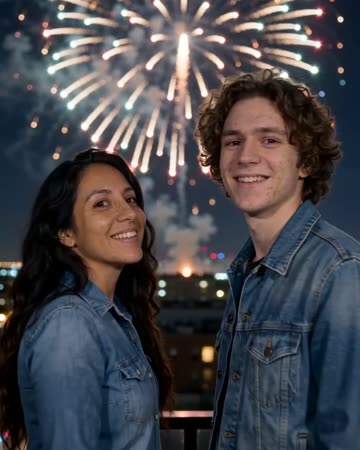
The shot begins behind the subjects watching a night skyline. Firework color catches their shoulders before they turn toward the camera and smile, with bursts continuing above and behind.
Angel Wings AI
fantasy portraits
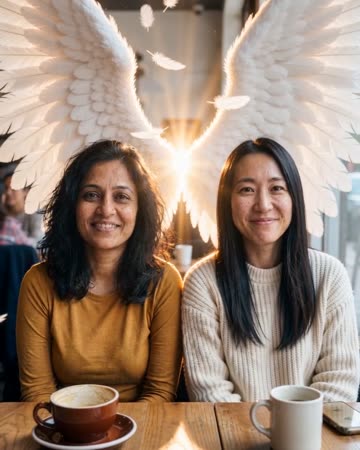
Feathered wings open behind the source subject with soft backlight and restrained feather motion. Shoulder junctions and space on either side make the reveal easier to understand.
Raindance AI Trend
Native-audio performance · photo to video
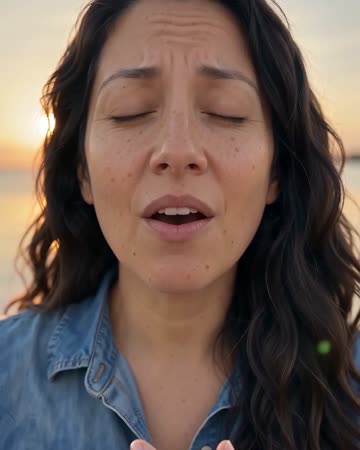
A brief source opening cuts to a warm singing close-up, then a wider view of the same person seated on a wooden pier. Face and outfit continuity connect the shots through breeze and calm water.
Northern Lights AI
Choose which should lead and preserve enough space for both.
Create this effect