Angel Wings AI: Leave Room for the Feathered Reveal
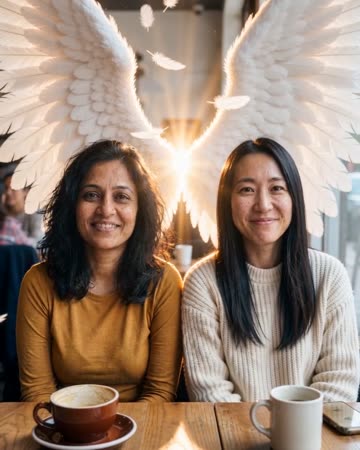
Soft feathered wings unfold behind the subject, with backlight and small feather movement supporting the reveal. The shoulders connect the fantasy form to the recognizable person. The preset requests unfolding-wing effects and warm music.
Use the reveal in a fantasy portrait or a symbolic character entrance. Keep captions away from the shoulder junctions so viewers can read how the wings unfold.
Inside this effect
Wings need room to unfold
Feathered wings open behind the source subject with soft backlight and restrained feather motion. Shoulder junctions and space on either side make the reveal easier to understand.
What makes the composition readable
Wing space matters on both sides. A tight crop can remove the tips or make the wings look attached to the frame rather than the body.
Sound in a new creation
Wing-unfolding effects and warm music support the fantasy portrait, without invented speech.
Choose the output for your edit
New drafts start at 12 seconds, 720p and vertical 9:16. Advanced shows the models and compatible lengths, resolutions and formats. Check the total credits before generating; the options follow the selected model.
From source photo to finished clip
Start with a solo or shared photo, or choose two separate sources when the idea includes a pair. Confirm the crop and current settings before generating.
Reserve the wingspan
Check that the chosen crop has space on both sides.
Inspect the wing roots
Review shoulder attachment, symmetry and feather changes.
Let the reveal settle
Choose a moment with readable wings before adding your title.
Ways to use the result
A symbolic character entrance
Hold the shoulders clear while the wings open, then add a short title below the face.
A fantasy portrait sequence
Connect the reveal with real portrait stills using similar light, keeping the transformation visibly artistic.
Prepare the source for this movement
- Keep both shoulders clearly visible.
- Leave open space behind the torso.
- Avoid large accessories around the upper back.
Feather detail, symmetry and attachment can vary. Wings can obscure the background and are an artistic addition, not a precise anatomical extension.
Frequently asked questions
Can I choose the wing color?
No color selector is provided; the preset aims for a soft feathered appearance.
Why is one wing smaller?
Perspective and generation can create asymmetry. Review both sides and the source shoulder angle.
Will the background remain unchanged?
Not guaranteed, especially where large wings cover or reinterpret previously visible areas.
Should I use a tight face crop?
It gives little shoulder or wing space. A wider portrait supports the unfolding action better.
Will the wings cover another person?
With a pair, overlapping wings and shoulders need extra review. Give both bodies lateral space in the source.
Can I set an exact wingspan?
No size measurement or attachment-point editor is provided. The spread is generated within the chosen frame.
Where is the cost shown, and what if generation fails?
The generation button shows the total for your selected model and output settings. Credits are deducted when the task is created; credits for a task confirmed failed are returned. Review the displayed total rather than assuming every model costs the same.
Explore another direction

Levitation AI
fantasy clips
A steady wide view shows the subject rising gently above the ground. Subtle clothing movement supports the floating impression while the visible floor provides the reference for height.
Northern Lights AI
travel dreams
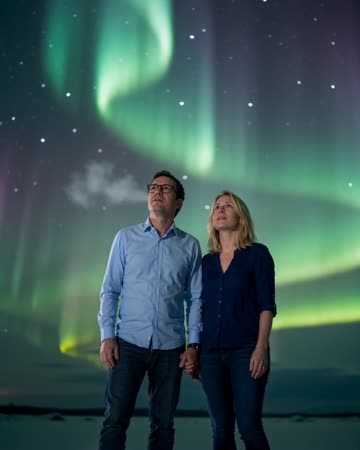
Slow aurora ribbons cross a natural night backdrop while the source subject stays calmly posed. Sky space and visible facial detail need to work together rather than competing.
Comic Book AI
comic avatar visuals
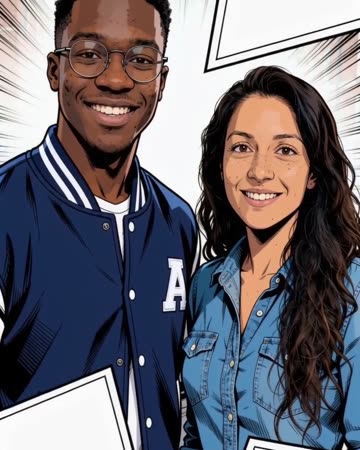
Bold outlines and flat comic colors transform the source subjects while small expressions continue. Clean graphic panels frame the shot without relying on automatically readable dialogue.
Angel Wings AI
Check that the chosen crop has space on both sides.
Create this effect