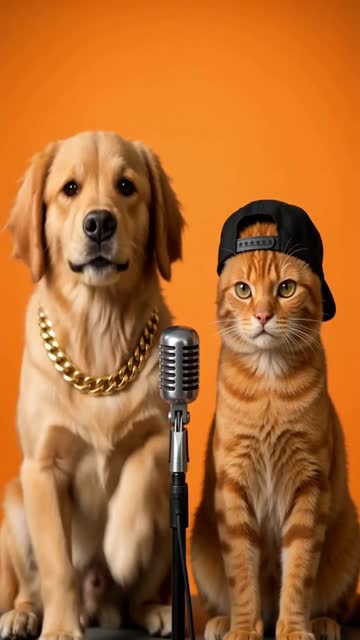
Pet Rap Video: Let Fur, Ears and Small Reactions Lead
A pet performance works through familiar animal cues: a head tilt, ear movement and a small body bounce. This preset aims to keep those cues instead of forcing a pet into exaggerated human anatomy. The preset requests playful rap vocals for a fictional pet character and backing music.
Make an account intro or a captioned pet-character skit. Write the imaginary voice in the edit rather than presenting the mouth movement as real speech.
Inside this effect
Paws, ears and a microphone
One pet leads alone or two pets sit at small microphones in an orange booth. Head tilts, ear movement and little paw reactions give the imaginary performance its character.
What makes the composition readable
Distinctive patches and the outline of the ears help viewers recognize the pet during motion. A full accessory costume is less useful than a clear face and visible chest.
Sound in a new creation
Playful fictional rap vocals and backing music accompany the animals. They do not translate real animal communication.
Choose the output for your edit
New drafts start at 12 seconds, 720p and vertical 9:16. Advanced shows the models and compatible lengths, resolutions and formats. Check the total credits before generating; the options follow the selected model.
From source photo to finished clip
Use a clear pet photo, a shared pet image or the optional two-pet source mode. Keep animal faces and body outlines readable.
Choose the pet's signature look
Use a clear portrait showing the markings you want to preserve.
Review animal movement
Inspect ears, paws and facial shape for unnatural human-like changes.
Write the pet character
Replay the playful vocal and beat, check the imagined mouth movement and pet expression, then decide whether a short caption would help.
Ways to use the result
An account introduction
Introduce each pet with a separate caption after its reaction, leaving ear outlines and markings unobscured.
A two-pet character skit
Use the alternating reactions as imaginary roles, then return to real pet footage for the ending.
Prepare the source for this movement
- Keep both ears inside the image.
- Show recognizable fur patterns without strong filters.
- Avoid collars or props covering the lower face.
Fur, paws and imagined mouth movement can vary. The voice is a model-generated fictional character performance, not real pet speech or a trained behavior.
Frequently asked questions
Can cats and dogs both be used?
A clear animal portrait can be a starting point; facial structure and fur complexity affect the result.
Should I dress the pet first?
Clothing is optional. Prioritize comfort in the source photo and leave the face and ears visible.
Will the pets look human?
The preset keeps animal proportions and markings. Review paws, mouths and ears because generated gestures can still drift.
Does the pet actually rap?
It generates playful short rap vocals and a beat for a fictional pet character. It does not extract a real pet voice or imply the animal actually said the words.
Can I use photos of different pets?
Yes. Use the two-pet mode and a clear source for each animal, or use one photo containing them together.
Where is the cost shown, and what if generation fails?
The generation button shows the total for your selected model and output settings. Credits are deducted when the task is created; credits for a task confirmed failed are returned. Review the displayed total rather than assuming every model costs the same.
Explore another direction
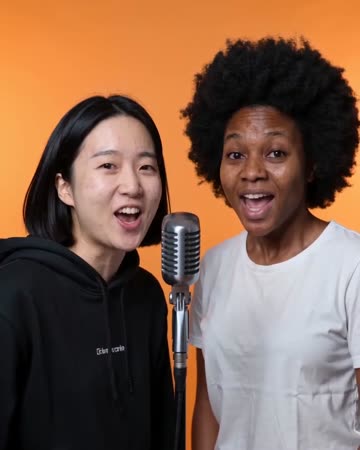
AI Rap Video
Native-audio performance · photo to video
One portrait creates a solo lead; a pair exchange short lines at separate microphones. The uncluttered orange set gives the gestures a clear outline, ending with attention toward the camera.
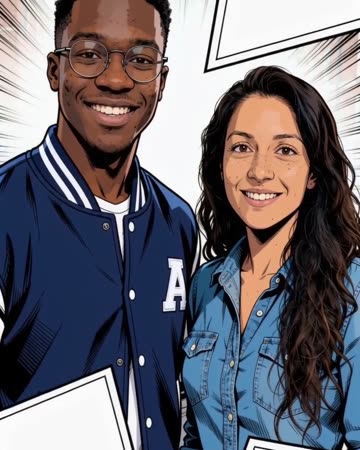
Comic Book AI
comic avatar visuals
Bold outlines and flat comic colors transform the source subjects while small expressions continue. Clean graphic panels frame the shot without relying on automatically readable dialogue.
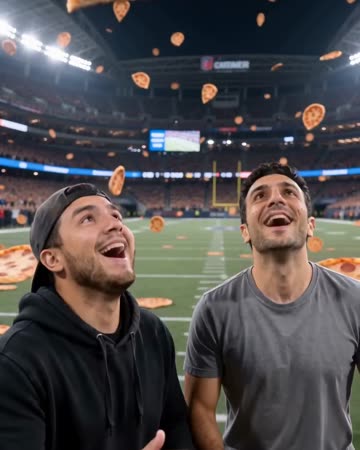
Pizza Rain AI
food profiles
The viewpoint descends from above a stadium as pizza slices drift toward the source subjects. They look up, reach out and catch a slice, ending on delighted reactions with the stadium still behind them.
Pet Rap Video
Use a clear portrait showing the markings you want to preserve.
Create this effect