Burning Bridges AI: A Warm Party Entrance and Look Across the Room
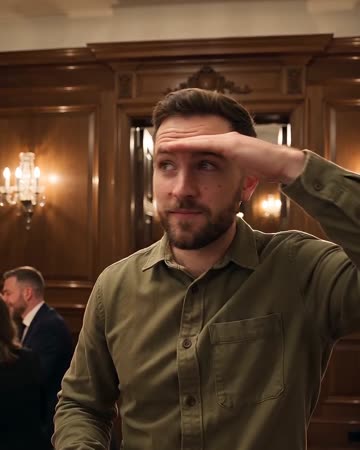
This direction builds an entrance beneath chandelier light. The subject steps toward the camera, gives a small wave and lifts a hand while looking across the room, with warm light linking the gestures. The preset requests an original party beat and live-event ambience.
Use the clip for a party arrival, a playful personal entrance or a transition into real celebration footage. Keep the soundtrack a separate editing choice.
Inside this effect
An entrance under chandelier light
The lead steps through a party crowd, acknowledges the camera, adjusts the collar and lifts a hand above the eyebrows to scan the room. A relaxed expression closes the warm scene.
What makes the composition readable
The hand near the forehead is a key inspection point. If it covers the eyes or merges with the hair, the intended glance can become difficult to understand.
Sound in a new creation
An original party beat and live-event ambience accompany the entrance, rather than the named trend song.
Choose the output for your edit
New drafts start at 12 seconds, 720p and vertical 9:16. Advanced shows the models and compatible lengths, resolutions and formats. Check the total credits before generating; the options follow the selected model.
From source photo to finished clip
Upload one clear still image as the starting point. Check the selected frame and Advanced settings, then review the full generated clip before downloading.
Choose the entrance pose
Start with a relaxed standing image, not an already crowded party crop.
Inspect the raised hand
Watch fingers, hairline and gaze as the gesture develops.
Connect to the celebration
Listen to the original party groove and crowd ambience, trim after the look, then connect real party material.
Ways to use the result
A party arrival
Use the scanning gesture before revealing real friends or event photographs in the next shot.
A playful personal entrance
Keep a short name card for the relaxed finish instead of covering the hand-to-face action.
Prepare the source for this movement
- Show arms and the upper body clearly.
- Keep the forehead and eyes unobstructed.
- Leave room for a small forward step.
The preset generates an original party beat and ambience, not the named song or a frame-exact trend routine. Review lighting, gestures and sound timing.
Frequently asked questions
Does the name imply a literal burning bridge?
This preset's direction is a warm party entrance, not a bridge or fire scene.
Is a drink needed in the source photo?
No. A clear face and visible arms are more useful for the intended gestures.
Why is the eye area hard to see?
The lifted hand may occlude the face. Use an unobstructed starting image and reject merged hand-face frames.
Can I add the original audio automatically?
It generates original party music and low crowd ambience rather than inserting the named track. Keep the generated soundtrack or continue editing after download.
Is the camera action a wave throughout?
The main sequence is an entrance, collar adjustment and a hand-above-the-eyes scan. Review those distinct gestures.
Can I set the guest list?
The crowd is generated background detail, not a supplied guest list or a record of real attendance.
Where is the cost shown, and what if generation fails?
The generation button shows the total for your selected model and output settings. Credits are deducted when the task is created; credits for a task confirmed failed are returned. Review the displayed total rather than assuming every model costs the same.
Explore another direction
Red Carpet AI
event teasers
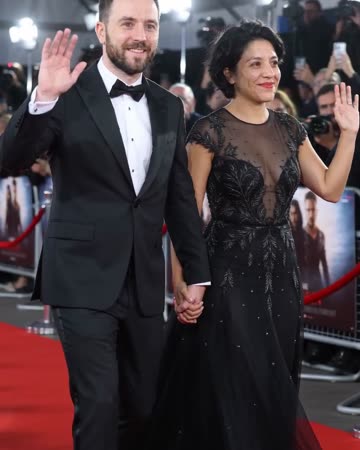
Formal eveningwear, a small forward step and a wave establish the arrival. Camera flashes alternate around the source people while the face and body remain the visual anchors.
Live Concert AI
Native-audio performance · photo to video
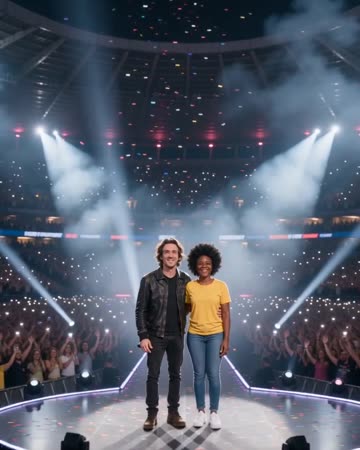
Audience lights establish a wide stadium before the camera approaches the source performers. Sweeping spotlights and light confetti lead to a shared wave toward the crowd.
Outfit Switch AI
outfit collections
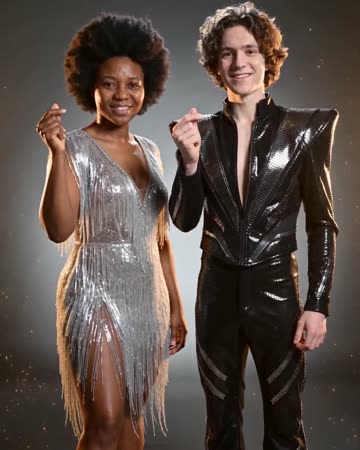
In a clean studio, a finger snap and flash reveal a different casual outfit; a second snap reveals formal eveningwear. Face, hair and body position remain the continuity anchors.
Burning Bridges AI
Start with a relaxed standing image, not an already crowded party crop.
Create this effect