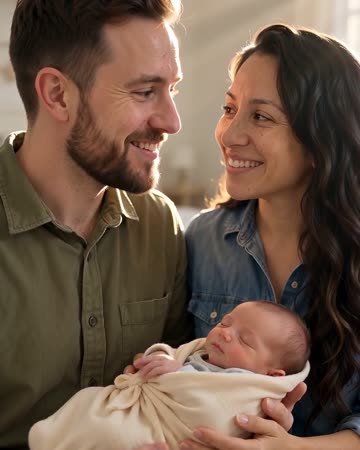
AI Baby Video: An Imagined Nursery Moment, Not a Prediction
This preset imagines a couple holding a baby in a sunlit nursery. Its purpose is a gentle family scene, with atmosphere and expressions carrying the idea rather than a claim about a future child's face. The preset requests gentle family music and indoor ambience.
Use it for a fictional family daydream or a clearly creative keepsake. Avoid presenting it as a pregnancy announcement or factual child image without explaining the context.
Inside this effect
An imagined nursery moment
The supplied couple hold an imagined baby in a sunlit nursery. Expressions and a gentle family pose carry the scene; the baby’s appearance is a creative addition rather than a future prediction.
What makes the composition readable
A clear couple image helps establish the adults. The baby and much of the holding interaction are newly generated, so check both emotional tone and basic anatomy before keeping a clip.
Sound in a new creation
Gentle family music and indoor ambience accompany the nursery, without a narrated claim about the child’s identity.
Choose the output for your edit
New drafts start at 12 seconds, 720p and vertical 9:16. Advanced shows the models and compatible lengths, resolutions and formats. Check the total credits before generating; the options follow the selected model.
From source photo to finished clip
Add one clear portrait per person or use a shared photo. In separate-photo mode, check the prepared two-person composition before submitting.
Establish the adult pair
Select a balanced photo that gives both faces enough detail.
Inspect the imagined hold
Review the baby's face, supporting arms and adult hands carefully.
Keep the creative context
Caption the result as an imagined moment if you choose to share it.
Ways to use the result
A fictional family scene
Use the image as a creative scene in a private mood board, keeping it distinct from an actual baby announcement.
A gentle relationship montage
Connect the nursery moment to real photographs of the couple through a simple title, rather than a genetic claim.
Prepare the source for this movement
- Add one clear portrait per partner, or use a balanced photo together.
- Keep both adult faces visible.
- Avoid dense hand overlap near the torso.
The baby is a creative result, not a genetic, fertility or medical prediction. Its appearance and the adults' holding anatomy may vary.
Frequently asked questions
Will it predict what our baby will look like?
No genetic analysis takes place. The generated child is imagined, even when the supplied adults remain recognizable.
Can I control the child’s age or features?
There are no dedicated age, face-trait or genetic controls. The form supplies photos and video settings.
Why inspect the arms so carefully?
A supported hold involves overlapping bodies and fingers, which can be inferred incorrectly from a still.
Can it document an actual newborn?
No. Preserve real family photographs for factual documentation and keep generated scenes distinct.
Where is the cost shown, and what if generation fails?
The generation button shows the total for your selected model and output settings. Credits are deducted when the task is created; credits for a task confirmed failed are returned. Review the displayed total rather than assuming every model costs the same.
Explore another direction
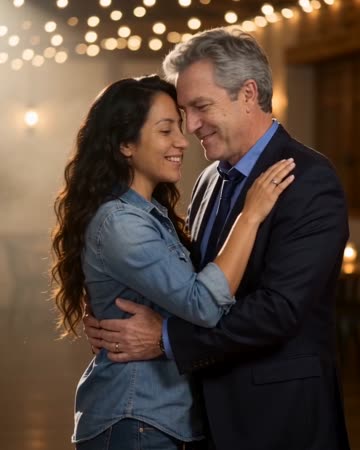
AI Family Video
family keepsakes
Under string lights, the source pair take a comfortable dance hold, sway, make a small shared turn and face the camera in a close pose. This page focuses on that two-person moment.

Love Song Video
Valentine edits
One partner gently strums an acoustic guitar while the pair sing a short love-song phrase. Shared glances and a quiet finish keep the relationship central, with hands and instruments visible for review.
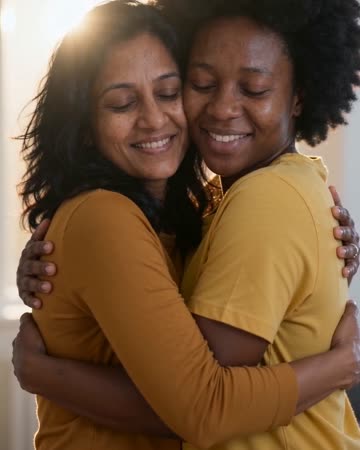
AI Hug Generator
reunion edits
The pair move closer and bring their arms together while the camera stays steady. Leave shoulder space in the starting composition so the contact can develop visibly rather than beginning with tangled limbs.
AI Baby Generator Video
Select a balanced photo that gives both faces enough detail.
Create this effect