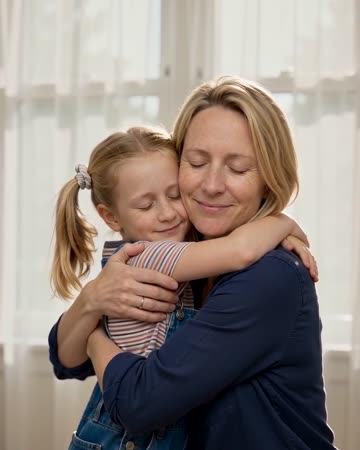
Hug Your Younger Self: Bring Two Ages Into One Imagined Moment
Imagine your present and younger selves meeting before soft curtains. Upload an authentic photo of each age or use a photo of both together; this is not an age-reconstruction tool. The preset requests warm music and the sound of clothing during the hug.
Use the imagined encounter in a birthday reflection or personal growth montage. Keep the actual childhood photo nearby to distinguish memory from the newly created interaction.
Inside this effect
Two real ages, one imagined hug
Your present and younger selves move into a gentle embrace before soft white curtains. Authentic photos of both ages provide the identities; the visual feeling is a Polaroid slowly coming to life.
What makes the composition readable
Choose childhood and current photos with compatible face angles and lighting before combining them. The relative heights should be intentional rather than an accidental result of pasting differently scaled images.
Sound in a new creation
Warm music and natural clothing sounds support the meeting, without assigning a spoken message to either version of you.
Choose the output for your edit
New drafts start at 12 seconds, 720p and vertical 9:16. Advanced shows the models and compatible lengths, resolutions and formats. Check the total credits before generating; the options follow the selected model.
From source photo to finished clip
Add one clear portrait per person or use a shared photo. In separate-photo mode, check the prepared two-person composition before submitting.
Prepare the age pairing
Add an authentic childhood photo and a current portrait to their own photo slots.
Review scale and contact
Inspect height, facial age and hand positions throughout the hug.
Tell the growth story
Add real dates and a personal reflection in the final montage.
Ways to use the result
A letter to the younger self
Place your own words after the embrace so the message remains personal and accurate.
A then-and-now chapter
Open with the separate source photographs, show the imagined meeting and end on a recent real image.
Prepare the source for this movement
- Add your current portrait and childhood photo separately, or use a prepared image showing both versions.
- Match face angles and light direction where possible.
- Leave arms visible between the two figures.
The interaction is imagined. Age, height and likeness may be reinterpreted, and the preset cannot reconstruct an actual encounter across time.
Frequently asked questions
Can one current photo create the younger face?
This form does not reconstruct an earlier age. Provide a real younger photo and a current portrait, separately or in a prepared shared image.
Can I upload the childhood photo separately?
Yes. Use the childhood photo slot and add your current photo to the other slot, then preview the prepared composition.
How should the faces be balanced?
Choose similar face scales and visible shoulders rather than enlarging a very small childhood face until it loses detail.
Is the Polaroid look a scanned real moment?
No. It is a visual storytelling style applied to a generated meeting.
Where is the cost shown, and what if generation fails?
The generation button shows the total for your selected model and output settings. Credits are deducted when the task is created; credits for a task confirmed failed are returned. Review the displayed total rather than assuming every model costs the same.
Explore another direction

AI Hug Generator
reunion edits
The pair move closer and bring their arms together while the camera stays steady. Leave shoulder space in the starting composition so the contact can develop visibly rather than beginning with tangled limbs.
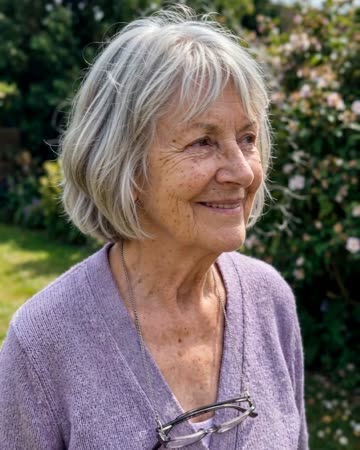
Animate Old Photos
family albums
A blink, natural breathing and a gentle smile add motion to an old portrait. The direction keeps the original framing rather than introducing a new scene or an elaborate camera journey.
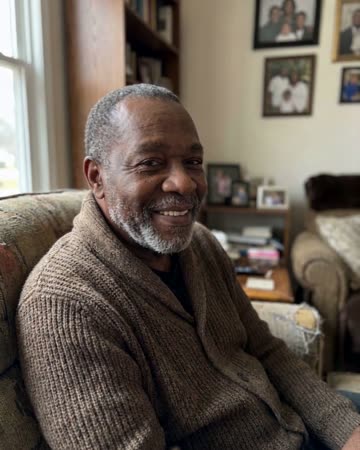
AI Tribute Video
personal tributes
A small blink and natural breathing meet a gentle camera approach. The quiet movement gives a tribute a living rhythm while leaving the surrounding biography to your real photographs and captions.
Hug Your Younger Self
Add an authentic childhood photo and a current portrait to their own photo slots.
Create this effect