Bulin 47 AI: A Relaxed Street Shot Outside a Red-Lit Storefront
A red-lit storefront and casual street gestures define this visual direction. The medium framing keeps the subject's face important while leaving enough depth to read the surrounding street. The preset requests a short original street rap and backing music.
Use it as a street-style intro or an insert in an independent performance edit. Add your own identity and audio rather than labeling the subject as a real artist.
Inside this effect
A close lead with a speaker behind
Outside a warmly red-lit restaurant, the source lead performs toward a close camera. A generic companion holds a small speaker overhead behind them, reacting to the original verse.
What makes the composition readable
Balance environmental color with facial clarity. If strong red light swallows the eyes and mouth, the setting may look vivid while the person becomes difficult to recognize.
Sound in a new creation
A lively original street verse and backing music support the scene, without a named artist’s track, voice or accent imitation.
Choose the output for your edit
New drafts start at 12 seconds, 720p and vertical 9:16. Advanced shows the models and compatible lengths, resolutions and formats. Check the total credits before generating; the options follow the selected model.
From source photo to finished clip
Upload one clear still image as the starting point. Check the selected frame and Advanced settings, then review the full generated clip before downloading.
Establish the performer
Use the person you want viewers to recognize in the street setting.
Review color and likeness
Inspect facial detail under red light, not just the atmosphere.
Add your street-edit identity
Listen to the original street vocal and beat, check mouths, then use a name card to identify your own character rather than the original artist.
Ways to use the result
A foreground-led intro
Keep the lead’s face large enough to read and place a title away from the raised speaker.
A street performance insert
Use the close shot between wider real street views so the scene has a clear place in your edit.
Prepare the source for this movement
- Choose a clear half- or full-body portrait.
- Avoid source light that already hides the eyes.
- Keep room around shoulders for casual gestures.
The setting is generated. The preset does not provide a named artist's face, lyrics or voice, and generated storefront lettering is not reliable business information.
Frequently asked questions
Will I become the named artist?
No. The direction uses your source subject in a street-performance atmosphere.
Why use a medium shot rather than a tight selfie?
It leaves space for shoulder rhythm and the storefront environment while keeping the face readable.
Is the storefront a real place?
Treat it as generated scenery, not proof of being at a particular business or street.
Does it include a track or accent imitation?
It requests an original street-freestyle rap excerpt and beat, not a specific artist's song, lyrics or voice.
Can I choose the supporting person?
This page uses the source lead with a generic supporting companion. Street Cypher offers a two-source direction for a recognizable partner.
Why keep the lead larger than the background?
The camera is close to the lead, while the speaker and companion establish depth. A tiny source face weakens that hierarchy.
Where is the cost shown, and what if generation fails?
The generation button shows the total for your selected model and output settings. Credits are deducted when the task is created; credits for a task confirmed failed are returned. Review the displayed total rather than assuming every model costs the same.
Explore another direction

Street Cypher AI
Native-audio performance · photo to video
Outside a red-lit restaurant, the foreground lead performs toward a close handheld camera. A companion behind lifts a small speaker and reacts, giving the street shot a clear foreground and background role.
AI Rap Generator
Native-audio performance · photo to video
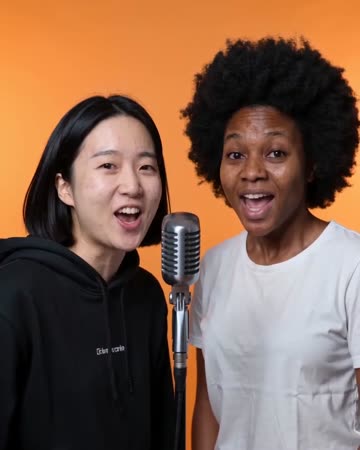
Separate microphones sit in a softly lit street setting. One person leads a concise phrase; a second source, when present, smiles and responds before taking a turn.
Gas Station AI Trend
Native-audio performance · photo to video
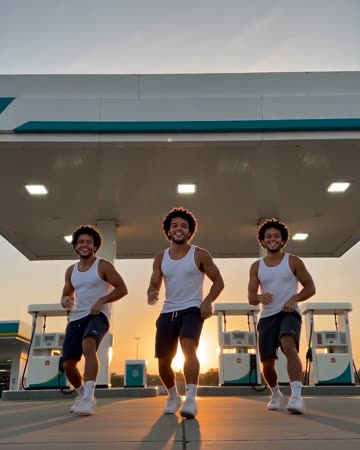
A wide forecourt dance cuts to a smiling selfie close-up, then to the same lead beside an open car door. A second visible source can remain as a consistent companion.
Bulin 47 AI
Use the person you want viewers to recognize in the street setting.
Create this effect